Key Information About the ?Fairlight Console Audio Editor? Control Surface
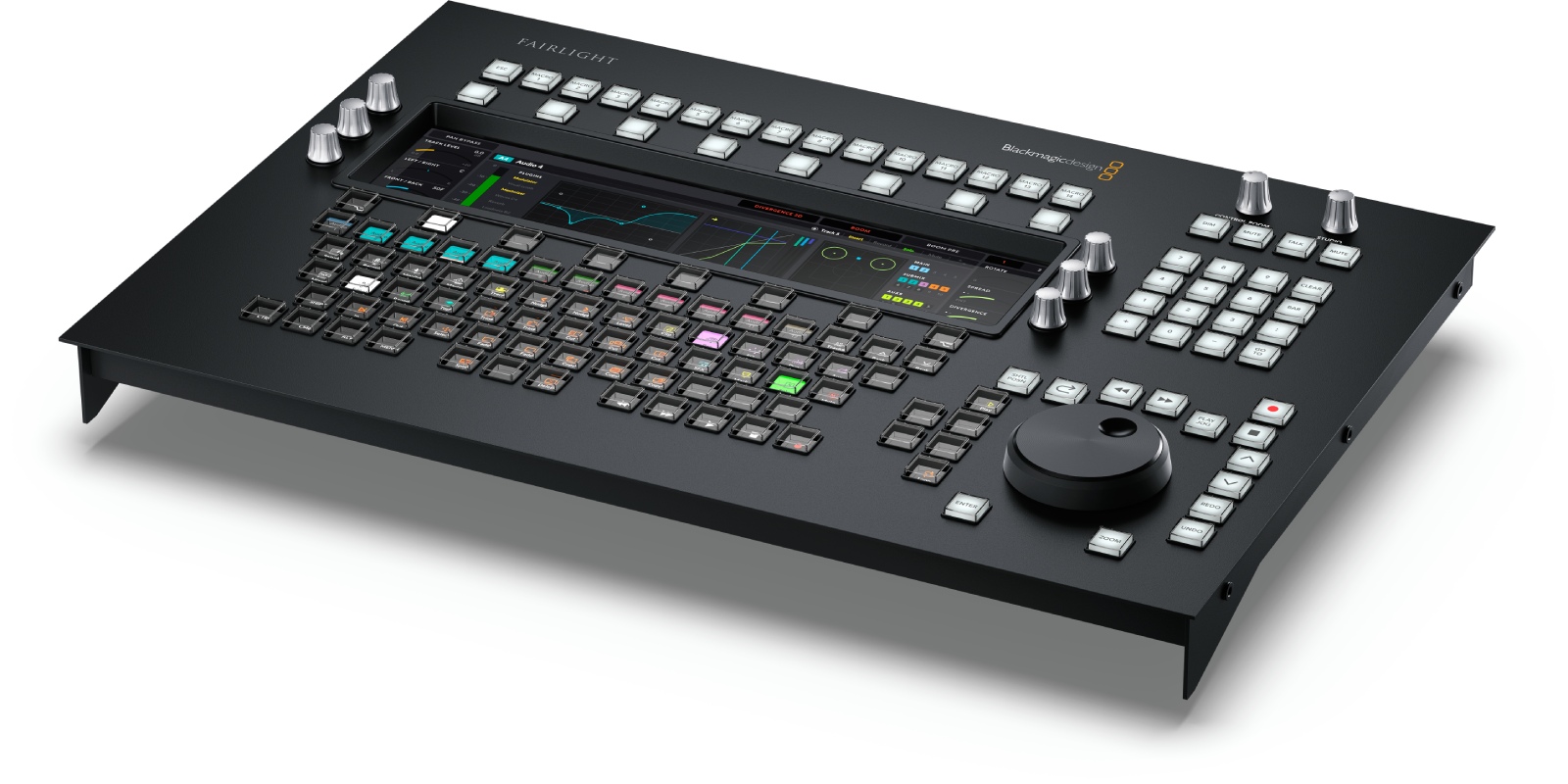
- Speed and precision thanks to an electronic clutch jog wheel, an interactive LCD screen, and touch wheels for faster editing than with a mouse.
- Contextual workflow with multifunction keys, macro buttons, and numeric keypad for instant access to editing tools.
- Native integration with Fairlight consoles via 10/100/1000 BaseT Ethernet, ensuring reliable communication in studio and control room environments.
- Simplified configuration via USB?C and the Fairlight utility, with internal updates completed within minutes.
An Editing Module Designed for the Fairlight Console Range
Based on over 20 years of feedback from sound engineers, the ?Fairlight Console Audio Editor? is positioned as the dedicated editing module for high-end Fairlight consoles. It adopts the ergonomics of premium post-production by providing direct hardware controls to speed up every editing action within DaVinci Resolve Fairlight.
For Sound Editors and Mixers Working Under Tight Deadlines
Whether you work in broadcast, fiction, documentary, or advertising, this control surface targets
productivity and
consistency. Key functions remain at your fingertips: precise navigation, cut, trim, nudge, automation, all while reducing fatigue associated with intensive mouse and keyboard use.
Ergonomics and Dedicated Editing Controls
Ultra-smooth Navigation
The electronic clutch jog wheel provides an immediate jog/shuttle feel to locate, zoom, and position your edit points down to the sample. The interactive LCD screen delivers clear, contextual status feedback.
Contextual Controls and Macros
The touch wheels, multifunction keys, and macro buttons adapt to the current task: you seamlessly perform cuts, fades, slips, time-stretching, or automation without digging through menus. The numeric keypad speeds up timecode, locator, and value entry.
Seamless Studio Integration
A simple Ethernet cable connects the editor to the console; configuration and updates are done via USB?C using the Fairlight Studio and Console Setup utility. This setup ensures a stable, responsive, and easily maintainable workflow.
Technical Specifications
Connections
- Ethernet compatible with 10/100/1000 BaseT.
Update and Configuration
- 1 x USB?C for configuration and software updates.
- Firmware updates via the update application.
Supported Operating Systems
- macOS 13 Ventura, macOS 14 Sonoma or later.
- Windows 10 Creators Update.
- Windows 11.
- Windows 11 for ARM.
- Rocky Linux 8.6.
Parameter Control
- Fairlight Studio and Console Setup utility when connected via USB.
Power Supply
- 100 to 240 V AC 50/60 Hz, internal power supply, IEC C14 power inlet.
- Power consumption: 20 W max.
Environmental Specifications
- Operating temperature: 0 to 40 C (32 to 104 F).
- Storage temperature: -20 to 60 C (-4 to 140 F).
- Relative humidity: 0 % to 90 % non-condensing.
Included
- Fairlight Console Audio Editor.
 en
en