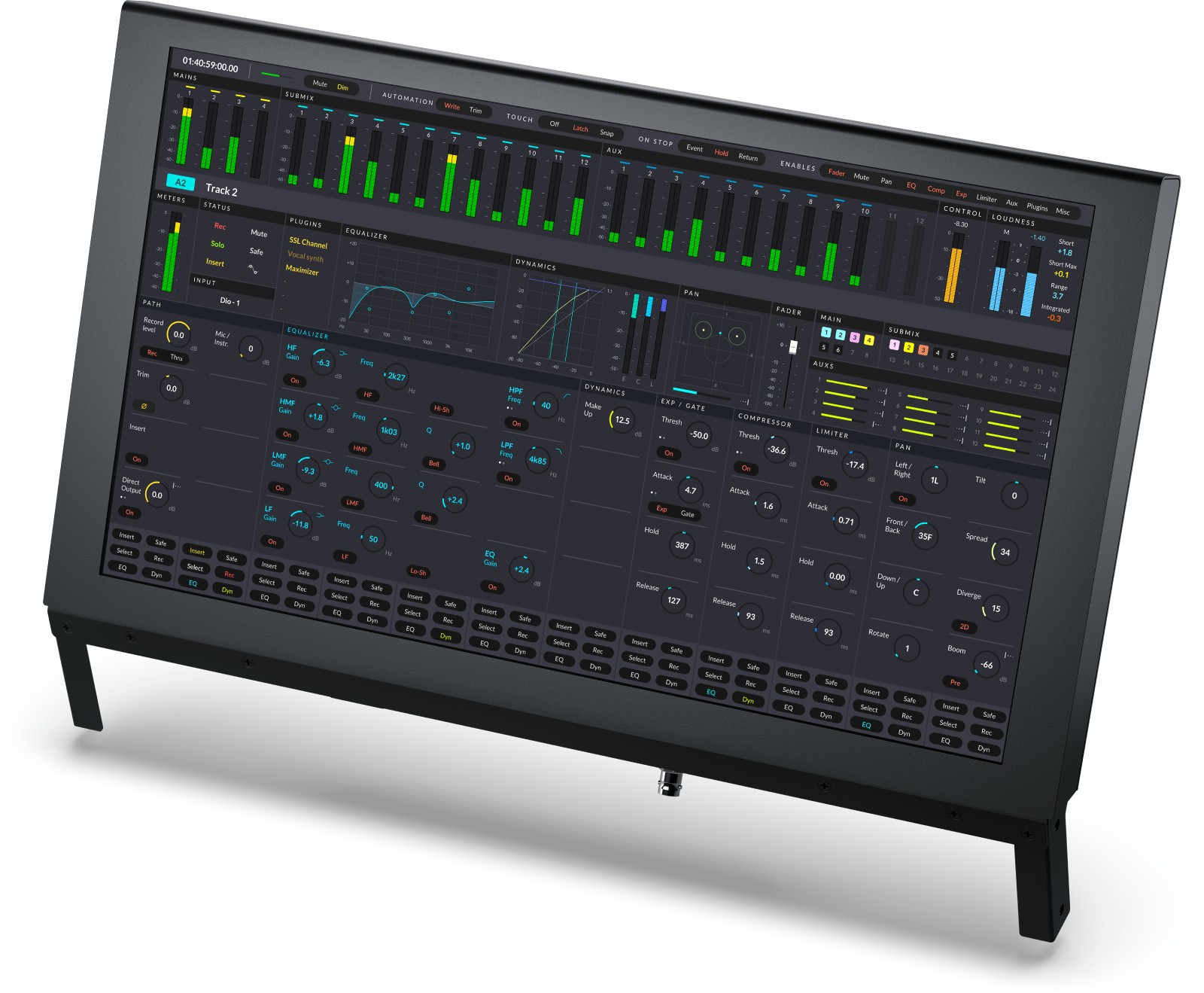
Key Information About the Fairlight Console LCD Monitor
- Add a high-resolution screen above each fader bay for immediate viewing of channels, VU meters, and labels.
- Dedicated Ethernet interface for channel information display and seamless integration with Fairlight consoles.
- HDMI Type A input to display your plug-in interfaces and software tools from the computer.
- 3G?SDI input on BNC for program video or camera preview up to 1080p60.
Designed for Fairlight Consoles, at the Heart of DaVinci Resolve Workflows
Designed to be installed above the faders and controls, the Fairlight Console LCD Monitor extends the ergonomics of Fairlight surfaces. It provides immediate and clear reading of channels, streamlining editing, mixing, and audio post-production in broadcast and cinema environments. Each bay gains a dedicated display to keep an eye on essentials without switching the main screen.
Who Is It For and What Are Its Uses?
Ideal for mixers, sound editors, broadcast operators, and stage control rooms, this monitor enhances channel visibility during voice recordings, sound design, real-time mixing, and broadcast operations. Its HDMI and SDI connectivity allows simultaneous monitoring of plug-in interfaces, program return, or camera previews, all close to the faders.
Features Designed for Speed and Reliability
Real-Time Channel Display
Positioned within the line of sight, the screen shows channel names, statuses, colors, and levels for quick decisions. You can access additional controls without leaving the console, minimizing back-and-forth between screens.
Versatile Studio Connectivity
The Ethernet port manages channel display with a reliable 10/100/1000 BaseT connection. The HDMI Type A input duplicates or extends your workstation interface to visualize plug-ins and tools. The 3G?SDI input on BNC accepts streams up to 1080p60, useful for program return or camera preview in a control room or mixing suite.
Simplified Updates and Administration
A USB?C port enables configuration and software updates. The ?Fairlight Studio and Console Setup? utility ensures consistent ecosystem configuration. Compatibility with macOS, Windows, and Rocky Linux facilitates integration into heterogeneous environments.
Technical Specifications
Connections
- Ethernet 10/100/1000 BaseT for channel information display.
- HDMI Type A video input.
- SDI inputs: 1 x 3G?SDI on BNC.
- USB?C for configuration and software updates.
Video Standards and Formats
- HDMI: 1080p23.98, 1080p24, 1080p25, 1080p29.97, 1080p30, 1080p50, 1080p59.94, 1080p60.
- SDI: 1080p23.98, 1080p24, 1080p25, 1080p29.97, 1080p30, 1080p50, 1080p59.94, 1080p60, 1080i50, 1080i59.94, 1080i60.
- SDI Compliance: SMPTE 259M, 292M, 296M, 424M?B, 425 Level A and Level B.
- SDI Video Sampling: YUV 4:2:2.
- SDI Color Precision: 10 bits.
Updates and Configuration
- Firmware updates via update application.
- Parameter control with the ?Fairlight Studio and Console Setup? utility via USB.
Compatible Operating Systems
- Mac 13.0 Ventura, Mac 14.0 Sonoma or later.
- Windows 10 Creators Update, Windows 11, Windows 11 for ARM.
- Rocky Linux 8.6.
Power Supply
- 100 - 240 V AC 50/60 Hz internal, IEC C14 power socket.
- Power consumption: 20 W max.
Environmental Specifications
- Operating temperature: 0 to 40 °C (32 to 104 °F).
- Storage temperature: -20 to 60 °C (-4 to 140 °F).
- Relative humidity: 0% to 90% non-condensing.
Included
- Fairlight Console LCD Monitor.
 en
en