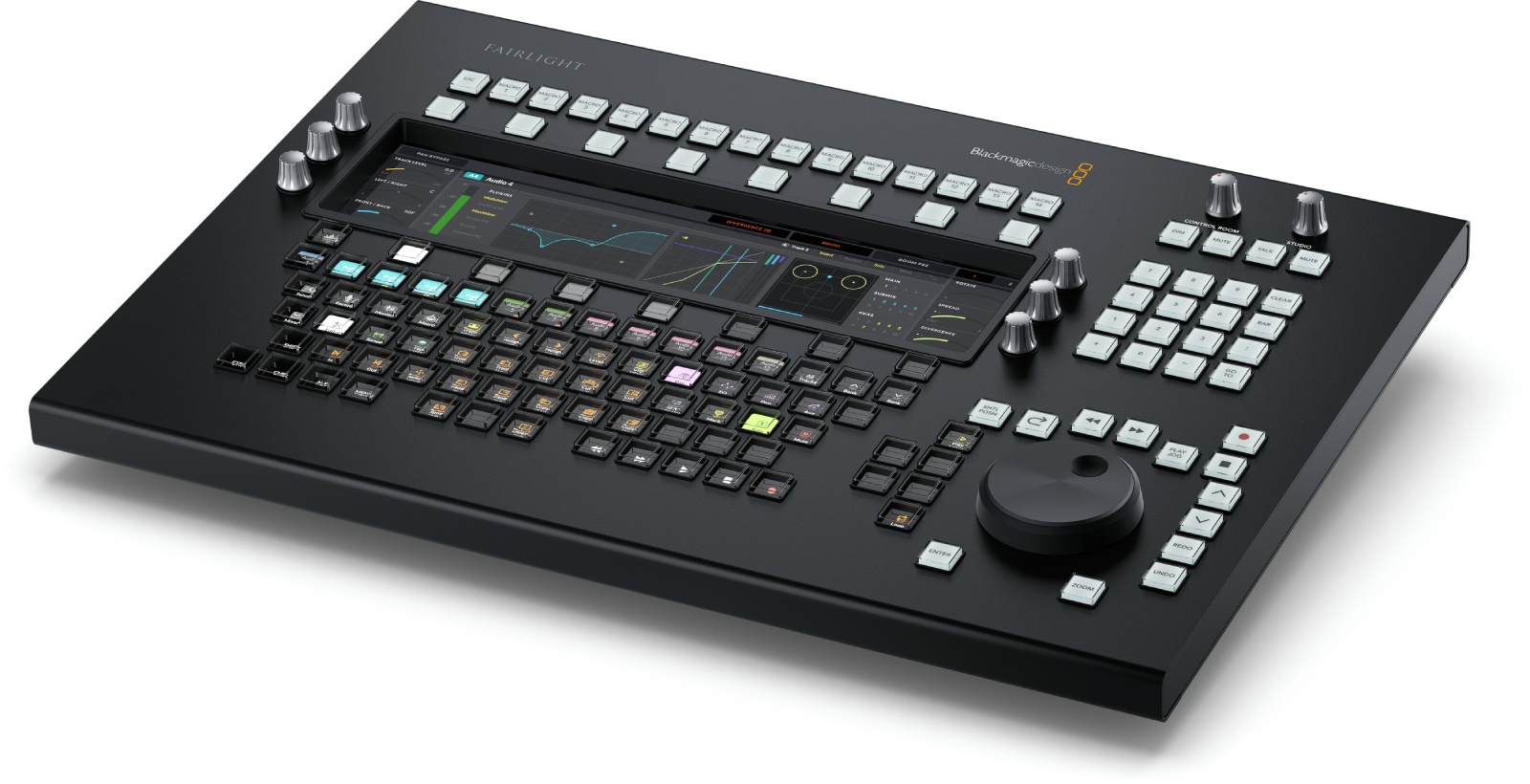
Key Information About the Fairlight Desktop Audio Editor Surface
- Ultra-fast workflow thanks to an interactive LCD screen and context-sensitive keys that adapt to the task.
- Superior editing precision with a large electronic clutch wheel for scrubbing, shuttle, and frame-accurate trims.
- Immediate tactile control via touch-sensitive knobs, dedicated macro buttons, and a numeric keypad for timecode and markers.
- Reliable studio integration: Ethernet connection to the DaVinci Resolve computer, simple setup via USB?C, and internal updates.
Fairlight Technology, Concentrated in a Desktop Format
Designed with feedback from sound engineers over more than 20 years, the Fairlight Desktop Audio Editor condenses the ergonomics of large Fairlight consoles into a compact format. Positioned between modular surfaces and mouse editing, it offers direct access to essential audio editing and mixing functions within DaVinci Resolve, without sacrificing precision or speed.
Who Is It For and What Are Its Uses?
Ideal for sound editors, mixers, content creators, and post-production teams working under tight deadlines. Whether in fiction, documentary, advertising, broadcast, or podcasting, it accelerates repetitive operations (timeline navigation, trims, fades, marker placements) and secures the workflow with constant tactile feedback and dedicated controls.
Advanced Control and Swift Navigation
The surface features an interactive LCD screen that updates key labels and functions contextually, reducing keyboard-mouse back-and-forth. Macro buttons trigger complex actions with a single press, while touch control knobs allow fine adjustments of levels, panning, or dynamic parameters. The electronic clutch wheel provides a precise mechanical feel for jog/shuttle and trims at the edit point, with near-instant responsiveness. The numeric keypad speeds up timecode entry, marker management, and quick timeline location, ensuring a smooth workflow in both editing and dialogue editing.
Simplified Installation and Updates
Connection to the DaVinci Resolve workstation is via Ethernet for stable control and imperceptible latency. The USB?C port is used for configuration and internal updates through the dedicated utility, all compatible with macOS, Windows (including ARM), and Rocky Linux. The built-in power supply with IEC C14 socket facilitates studio integration, and the low power consumption ensures reliable daily operation.
Technical Specifications
Connections
- 1 x Ethernet (supports 10/100/1000 BaseT)
- 1 x USB?C for configuration and software updates
Update and Configuration
- Firmware updates via the update application
- ?Fairlight Studio and Console Setup? utility when connected via USB
Operating Systems
- macOS 13.0 Ventura, macOS 14.0 Sonoma or later
- Windows 10 Creators Update
- Windows 11
- Windows 11 for ARM
- Rocky Linux 8.6
Parameter Control
- ?Fairlight Studio and Console Setup? utility when connected via USB
Power Requirements
- AC 100?240 V, 50/60 Hz internal with IEC C14 power socket
- Power consumption: 20 W max.
Environmental Specifications
- Operating temperature: 0° to 40 °C (32° to 104 °F)
- Storage temperature: ?20° to 60 °C (?4° to 140 °F)
- Relative humidity: 0 % to 90 % non-condensing
Physical Characteristics
- Model: Fairlight Desktop Audio Editor
Included
- Fairlight Desktop Audio Editor
 en
en