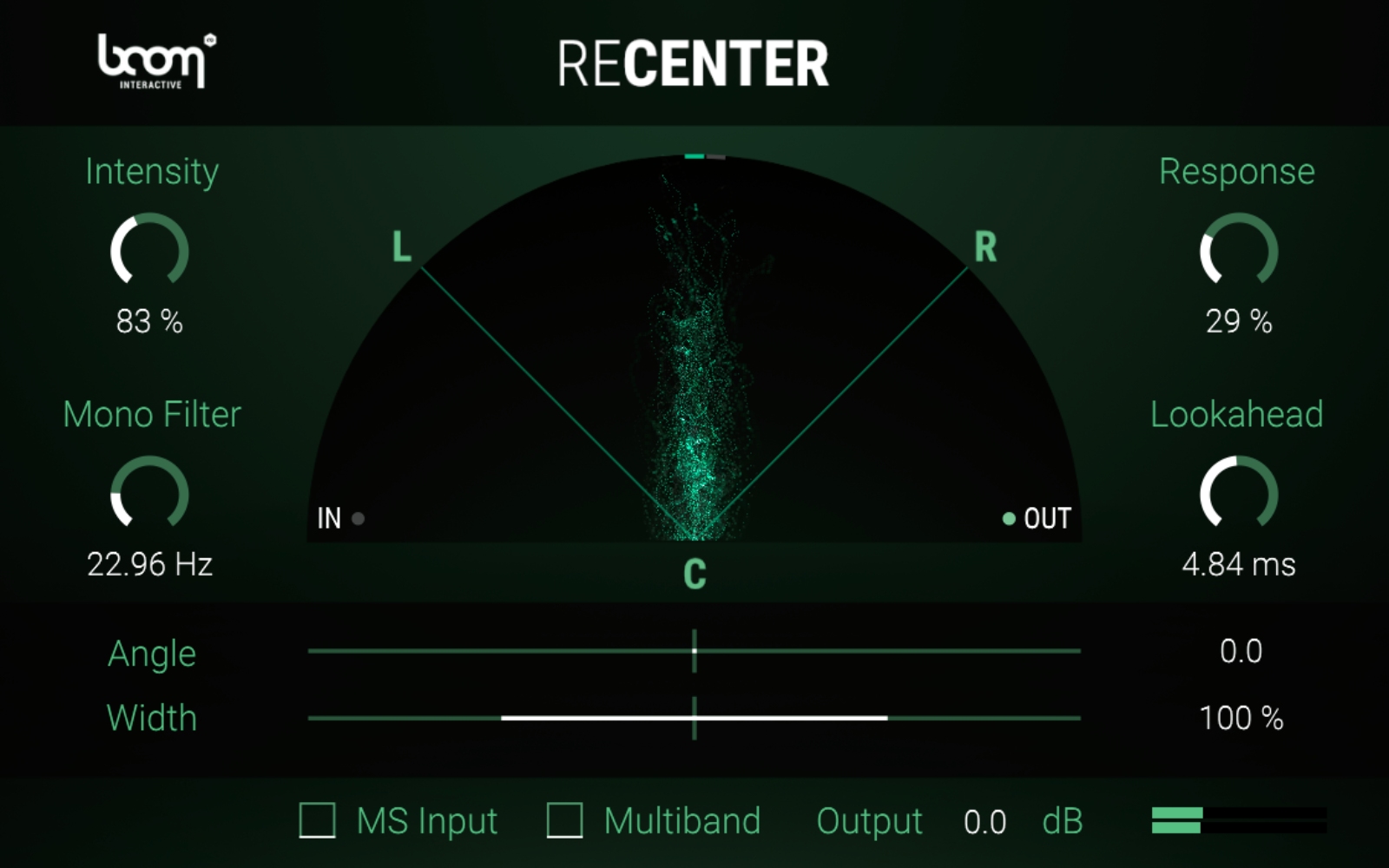
Essential Information About the "ReCenter" Software
- Real-time automatic recentring of a stereo or M/S signal to a target angle, without reducing stereo width.
- Major time saver in post-production and mixing: goodbye to corrective pan automation.
- Creative control of the stereo image after recentring: widen or narrow, and shift the left/right angle.
- Enhanced low-end precision thanks to the "mono bass" filter and multiband mode for complex sources.
What "ReCenter" Is For
"ReCenter" instantly corrects off-centre stereo recordings while preserving their original width. Ideal for field recordings, vocals or instruments moving on stage, as well as for recentring directional effects (whooshes, drive-bys, fly-bys). Once the axis is restored, it allows precise adjustment of stereo spread to achieve a coherent mix that translates well across all systems.
Main Features
Automatic recentring and target angle
The algorithm continuously analyzes the directivity of a stereo or M/S signal and
rotates it towards a defined angle in real time. This corrects misoriented microphones, performer movements, or recording variations without altering stereo spread.
Stereo width under control
Once the center is restored, you can
widen or
narrow the image to enhance presence, stabilize an ambience bus, or balance an instrument duo, all while maintaining perfect left/right coherence.
Mono bass and multiband mode
The
mono filter below an adjustable frequency locks the bass to the center for a more precise and solid low end. The
multiband mode intelligently handles complex content, ensuring clean recentring without artifacts.
Fast workflow, no automation
Simply adjust the
intensity,
speed, and
accuracy of the correction: no more tedious pan automations. Save hours in editing, mixing, and post-production while staying focused on creativity.
Stereo and M/S compatibility
Process
stereo or Mid/Side inputs, then shift the output angle left or right depending on the context, whether to correct, harmonize a soundstage, or sculpt an effect.
Technical Specifications
System Requirements
- macOS: macOS 10.13 or higher, 8 GB RAM, Apple Silicon or Intel Core i5 CPU
- Windows: Windows 8 or higher, 8 GB RAM, Intel Core i5 CPU
Supported Formats
- macOS: VST2, VST3, AU, AAX
- Windows: VST2, VST3, AAX
Features
- Fully automatic processing
- Preserves original stereo width
- No pan automation required
- Dynamic creation of convincing stereo images
- Precise image adjustment once center is restored
- Stereo or M/S inputs
- "Mono" filter below a set frequency
- Multiband mode for intensive cases
- Widening or narrowing of the recentred image
- Output angle shift to left or right
- Correction of stereo recordings with imperfect microphone angle
- Recentering of a performer moving on stage
- Recenters whooshes, drive-bys, fly-bys, and other directional effects
- Widens instruments while maintaining perfect stereo balance
Included Content
- "ReCenter" plug-in (formats according to OS above)
 en
en