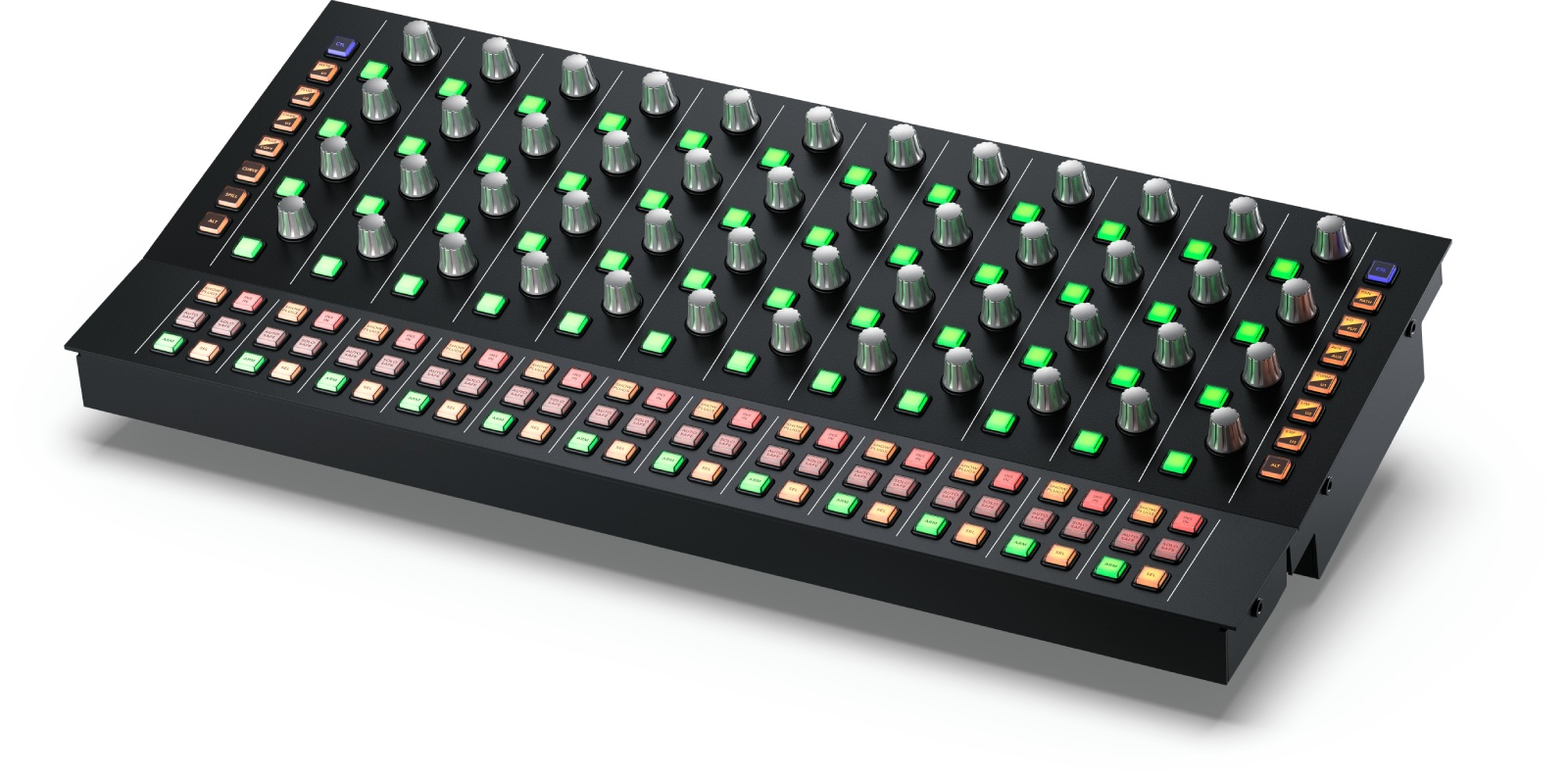
Key Information About the Fairlight Console Channel Control Panel
- 12 groups of touch wheels and illuminated buttons, assignable to a single channel, the 12 adjacent faders, or the master bus.
- Up to 192 parameters per channel instantly accessible, with precise visual feedback on the LCD screen.
- Network integration via Ethernet 10/100/1000 BaseT and simple configuration through USB?C.
- Professional ergonomics for postproduction, broadcast, and film/TV mixing.
A Key Module in the Fairlight Ecosystem
Designed to integrate with Fairlight consoles, the ?Console Channel Control? expands the workspace by providing dedicated channel processing controls. It perfectly complements fader bays by offering direct, tactile, and contextual access to essential parameters, while synchronizing the display with the LCD monitor for instant tracking of changes.
Who Is It For and What Are Its Uses?
Ideal for film/TV mixers, broadcast engineers, and postproduction studios, this panel optimizes recording, editing, and multichannel mixing sessions. It targets teams requiring immediate control response, reliable muscle memory, and a clear view of dynamics, equalization, sends, auxiliaries, or bus management functions?without relying on a mouse or deep menus.
Direct Controls That Speed Up Your Workflow
With its 12 groups of touch controls, every gesture triggers a precise and consistent response. Depending on the selected mode, you control a single channel, a row of 12 adjacent channels, or the master bus, making global adjustments as fast as fine tweaks. The combination of wheels and illuminated buttons facilitates section navigation (EQ, dynamics, panning, sends), while the LCD reflects your selections in real time to avoid any ambiguity during tight mixing situations.
The Ethernet connection ensures stable integration into the console network, and the dedicated USB?C simplifies configuration and updates. The result: a smoother workflow, fewer clicks, greater precision, and total consistency between what you touch and what you see.
Technical Specifications
Connections
- Ethernet compatible with 10/100/1000 BaseT.
- 1 x USB?C for configuration and software updates.
Software and Compatibility
- Firmware updates via the update application.
- Parameter control through the ?Fairlight Studio and Console Setup? utility when connected via USB.
- Supported operating systems: macOS 13.0 ?Ventura?, macOS 14.0 ?Sonoma? (or later); Windows 10 Creators Update; Windows 11; Windows 11 for ARM; Rocky Linux 8.6.
Power Supply
- Internal power supply 100?240 V AC, 50/60 Hz, IEC C14 power inlet.
- Maximum consumption: 20 W.
Environmental Specifications
- Operating temperature: 0° to 40°C (32° to 104°F).
- Storage temperature: -20° to 60°C (-4° to 140°F).
- Relative humidity: 0% to 90% non-condensing.
Included
- Fairlight Console Channel Control.
 en
en