close
filter_list

Behringer X-Touch

Register here and stay informed about the next restock

Description

Essential Information About the Behringer X-TOUCH DAW Control Surface


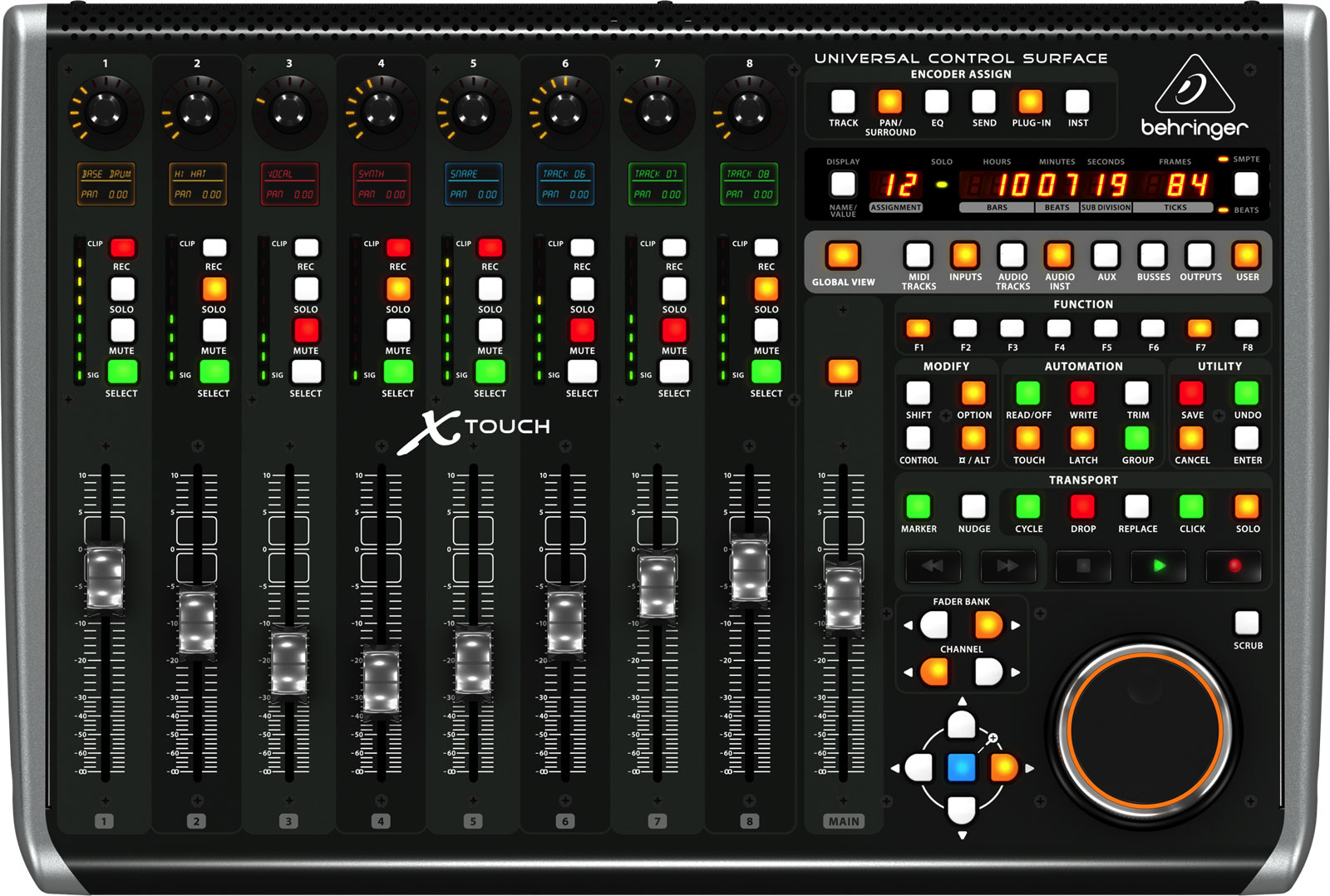
  • 9 motorized, touch-sensitive faders for precise automation and tactile mixing worthy of a large console.

  • Universal compatibility thanks to Mackie Control and HUI protocols, allowing control of major DAWs without complex mapping.

  • Instant visibility with 8 LCD "scribble strips" displaying track names and parameters in real time.

  • Studio and live connectivity via Ethernet (RTP-MIDI, X32 console control) and USB/MIDI 2x2 interface for Mac/PC.


The Flagship Model of the X-TOUCH Range


The Behringer X-TOUCH establishes itself as the brand's reference control surface. Designed to bridge the gap between studio and stage, it adopts the historic communication standards of digital audio workstations while adding a network layer to interact with the X32 ecosystem. Its architecture featuring 9 motorized faders and 8 "scribble strips" makes it a reliable tool for demanding professional setups.


Who Is It For and What Are Its Uses?


Ideal for producers, mixers, podcasters, stage managers, or musicians seeking the feel of a physical console, the X-TOUCH streamlines automation editing, track navigation, and plugin control. In live settings, it offers quick handling of levels, mutes, transports, and snapshots; in the studio, it speeds up workflow and reduces reliance on the mouse.


Key Features to Speed Up Your Mix


Motorized Faders and Automation


The 9 long-throw faders faithfully reproduce your DAW's automation movements. Touch sensitivity instantly triggers control takeover, enabling more musical volume rides, panning, and effects sends.


Clear Display and Visual Feedback


The 8 LCD screens show track names, banks, parameters, and values. Paired with 8 assignable rotary encoders and 92 direct access buttons, they minimize screen toggling and menu diving.


Network Connectivity and DAW Integration


The Ethernet interface supports RTP-MIDI and remote control of X32 consoles, while the USB/MIDI 2x2 interface provides plug-and-play connection to Mac/PC. Two footswitch inputs offer hands-free controls (transport, punch in/out, etc.).


Compatibility note: Some advanced features may vary depending on the DAW used.


Technical Specifications


Control and Ergonomics


  • 9 motorized, touch-sensitive faders

  • 8 assignable rotary encoders

  • 92 direct access buttons

  • 2 footswitch pedal connections


Display and Navigation


  • 8 LCD screens for displaying and listing track names and parameters


Connectivity


  • Ethernet interface for RTP (Real-Time Protocol) MIDI and Behringer X32 Remote Control

  • USB/MIDI 2x2 interface for direct connection to Mac/PC


Compatibility


  • Universal DAW controller

  • Suitable for studio and live applications

  • Supports HUI and Mackie Control protocols

  • Note: Some advanced features may vary depending on the DAW used


Dimensions and Weight


  • Dimensions: 100 x 452 x 301 mm

  • Weight: 4.3 kg

Brand reference number: 0808-AAD86-EU1

Testimony

4,5 /5
5★
4★
3★
2★
1★
Quality
fullfullfullfullfull
Quality / price
fullfullfullemptyempty
Use
fullfullemptyemptyempty
Good, very good! I wanted to be able to control my new toy, the X32 Core, and also my favorite DAWs! It's done! I control the X32 Core and my PC directly via an ethernet router! All 3 are plugged into it! Super responsiveness of the motorized faders! Quite easy to handle. I had never worked this way since I owned a Presonus 32.4.2 Ai which was not motorized, with 32 dedicated faders! Here you need a little time to adapt and then you're off! I mainly use the faders to control the sound of the channels and the effect sends! For the other controls, which are accessible through a whole bunch of possibilities on this console, I prefer to use my mouse for now! I appreciate the wheel, the play, stop, and record controls, super useful during recordings. You can undo the last command or action without having to take the mouse. It saves a lot of time, especially it allows you to stay focused on your playing! I like it! It can control the X32 and a DAW at the same time. You just have to switch modes using a command! In X32 control mode, you can still trigger playback or recording of the DAW! These functions are always active! In DAW mode, the X32 is no longer accessible! Great product, not necessarily to be used with Behringer products, but if you have the X-Air18, this is what you need! An RJ45 cable and you can mix from afar! Fred... (Show more)
Certified
Posted on 31/12/2016
By Frédéric B.

Hello, Separated for a while from my old control surface because the faders made too much noise when finalizing mixes on small monitors and the surface took up too much space, I opted for the X-TOUCH. My choice was first the size, the silence of the moving faders that I already knew with the X32 console, and the various available connections. I struggled a bit to make it communicate in HUI with Protools (Windows users, think about running the Protools shortcut as administrator in the properties, it's weird but it works!). The midi implementation with Protools is not perfect yet. Many functions are still missing, the main master is not active, the flip neither, the EQ button does not work as well as other functions but I imagine the next firmwares will fix these shortcomings. But the essential is there. Finding the moving faders with auto touch for automations is a delight, I will no longer get tendinitis doing voice tracking! I have already recommended this surface to a sound engineer friend like me; that says the trust I give to this machine and its future firmware development. Behringer has done it again for half the price of my old control surface! A big thank you to the Woodbrass team for their precious work.... (Show more)
Certified
Posted on 01/03/2018
By Jean-françois M.

I mainly use it with Logic Pro 11 on Mac (Sonoma) The product is really suited to this DAW via the Mackie Control (MC) protocol. It's almost plug & play. It is compatible with the other, older HUI protocol. It coexists perfectly with other remotes in Logic. I notably use an Arturia Minilab 3 keyboard to control transport and the iPad Logic Remote app. No conflict. The documentation delivered in the box is very brief (you have to know what you're buying :)) but the (old) official Behringer YouTube videos are very useful for mastering advanced functions. What is great in the end is that this controller is automatically recognized without a driver. One can imagine it is solid over time. Small drawback then, the absence of detailed PDF documentation. Another drawback, as noted by other users, I find the jog wheel a bit stiff.. On Mac, a quick visit to "Audio MIDI Setup" and adding it in Logic Pro takes 5s! You can then control almost everything. In short, for now very very satisfied with the value for money. Thanks woodbrass for the fast delivery!... (Show more)
Certified
Posted on 01/01/2025
By Dimitri G.

A priori a bit complicated to set up with Cubase...
Verified
Posted on 12/01/2024
By Dargoni
Quality
fullfullfullfullfull
Quality / price
fullfullfullemptyempty
Use
fullfullemptyemptyempty

Videos
Sales & Advice
thumb_up