30-day satisfaction guarantee or your money back
Call us : +33 257 880 074
 en
en 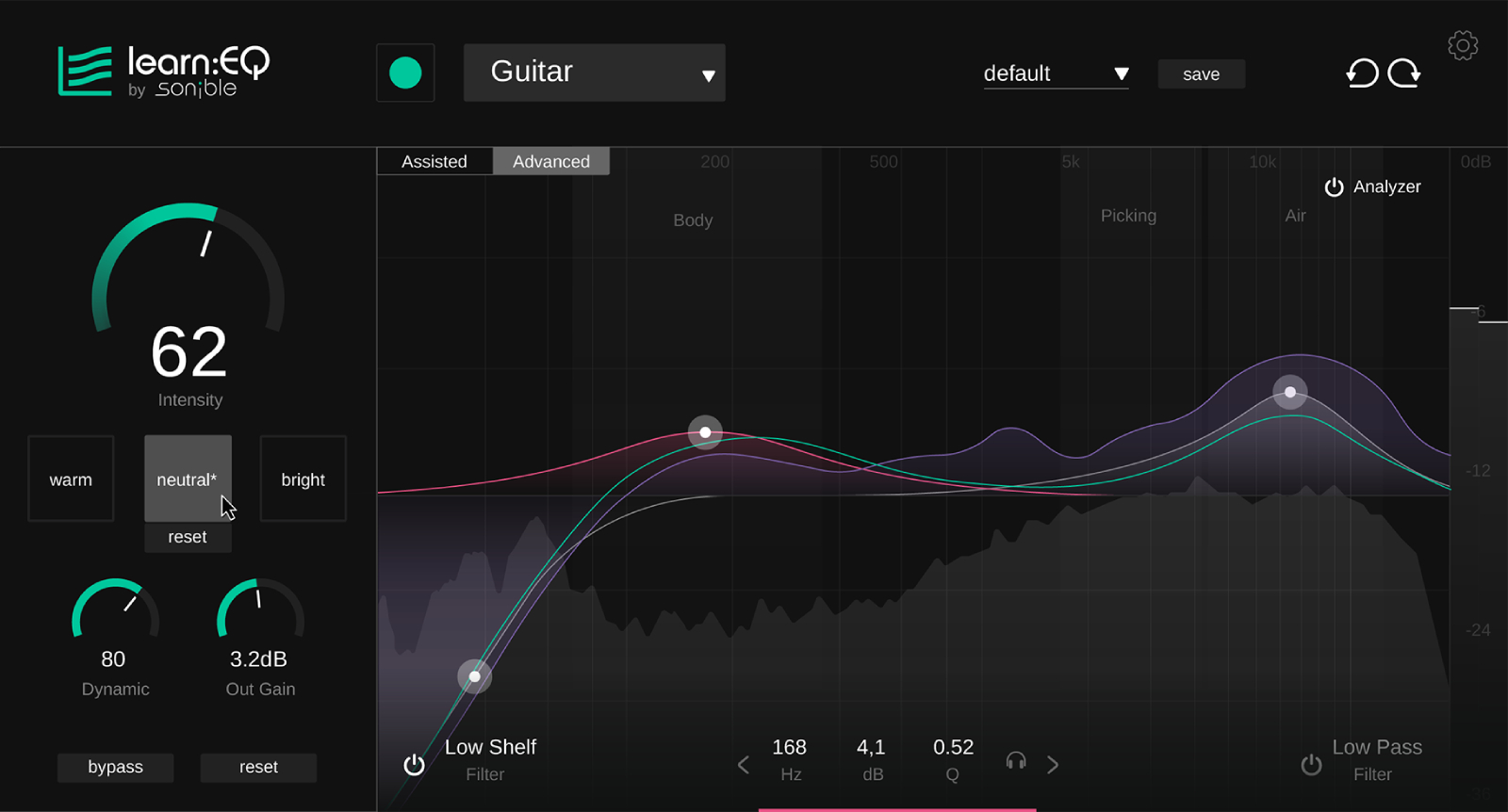
Learn:EQ is an equalizer plug-in designed to learn and practice EQ while achieving concrete results in a mix. It helps you visualize and understand the frequency spectrum, identify resonances, excess lows or highs, and progressively correct imbalances. Whether you are working on vocals, guitars, drums, synths, or a master bus, Learn:EQ makes it easier to choose the frequencies to adjust and clearly shows the impact of each modification on the overall tone.
Instead of starting from scratch, Learn:EQ offers an automatic EQ curve derived from AI analysis of the audio content. This working base speeds up the workflow while remaining ideal for understanding why certain areas of the spectrum deserve correction. You maintain creative control with a guided approach that reduces hesitation and improves mix consistency.
The tone sliders provide a direct way to shape the sound color: warmer, brighter, more balanced, depending on your goal. This approach is especially useful for producers and musicians who want to work quickly, but also for beginners who want to achieve a musical result without having to immediately master all the subtleties of a parametric equalizer.
Learn:EQ offers two display levels to suit your progress. The assisted view highlights the essentials to focus on listening and frequency understanding. The advanced view allows for deeper adjustments, for finer decisions in production, mixing, or EQ training exercises. It is a relevant tool for teaching, home studio practice, and improving tonal judgment.