close
filter_list

Waves Vu Meter

Description

Essential Information About Waves VU Meter Software

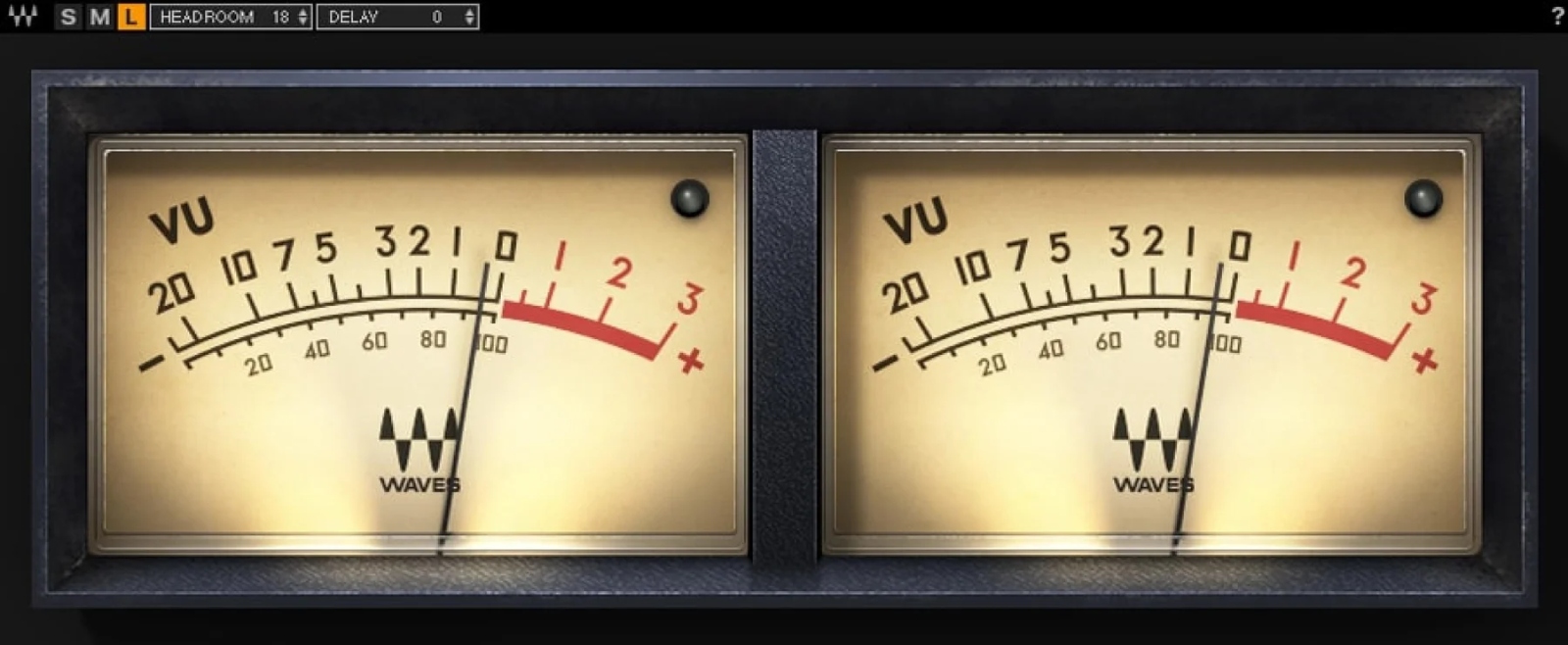
  • Accurate "average" reading: the needle replicates the ballistics of a real VU meter to visualize perceived energy, not just peaks.
  • Precise headroom calibration: adjust the calibration to your reference level in the DAW for consistent mixes.
  • Stable and readable measurement: smoother than many digital VU meters, ideal for quickly judging musical levels.
  • Negligible CPU usage: insert it on as many tracks or buses as needed without burdening the session.

What Waves VU Meter Is For

Waves VU Meter is a metering plugin designed for mixing and mastering when you need to control the average level (RMS/perceived) of your sources and buses. While peak meters mainly indicate instantaneous peaks, a VU meter highlights the density of a signal and its volume perception, making it easier to balance vocals, drums, bass, instruments, and subgroups. It becomes a quick reference to maintain consistent levels, avoid "too hot" mixes, and make better dynamic decisions (compression, saturation, automation).

Main Features

Realistic ballistics for true musical reading

The strength of Waves VU Meter lies in the mechanical response of the needle: it naturally averages micro-peaks and emphasizes the "real" dynamic behavior of the signal. You get a reading closer to what you hear, particularly useful for comparing two sources, validating a drum bus, or controlling the energy of a lead vocal in the mix.

A reference tool calibrated to your workflow

The plugin allows you to calibrate the headroom according to your digital audio workstation's reference level. The result: your gain staging references become more consistent from project to project, and you can work with a clear safety margin before digital clipping.

Clear reading, stereo options, and anti-clip protection

To suit your visual comfort, the stereo version offers several VU meter sizes (small, medium, or large). An LED clip indicator triggers above -0.009 dBFS, handy for immediately spotting an overload even when the needle appears "reasonable" on a dense signal.

VU and dB measurements according to your reference

Waves VU Meter displays scales in Volume Units and dB, based on the reference adjustment. This makes it easier to link your volume perception, gain staging, and available headroom before digital saturation, whether on individual tracks or the master bus.

Technical Specifications

System Requirements

  • Mac: macOS Catalina 10.15, Big Sur 11, Monterey 12, Ventura 13, Sonoma 14
  • Memory (Mac): 8 GB
  • Disk Space (Mac): 16 GB
  • Processor (Mac): Intel or Silicon Architecture
  • Windows: Windows 10 64-bit and Windows 11
  • Memory (Windows): 8 GB
  • Disk Space (Windows): 16 GB
  • Processor (Windows): X64 compatible Intel or AMD CPU

Features

  • Averages short peaks to reveal dynamic characteristics in real conditions
  • Smoother and more stable reading than sometimes "nervous" DAW meters
  • Headroom calibration according to the DAW reference level
  • Negligible CPU consumption for use on many tracks
  • Highlights useful audio characteristics to improve mixes and masters
  • LED-type clip indicator above -0.009 dBFS
  • Volume Units and dB scales (depending on reference adjustment)
  • Choice of stereo VU meter size: small, medium, large

Included Content

  • Waves VU Meter plugin
  • Additional Media
Brand reference number: 1178-2769
Videos
Sales & Advice
thumb_up