30-day satisfaction guarantee or your money back
Call us : +33 257 880 074
 en
en 









Complete software

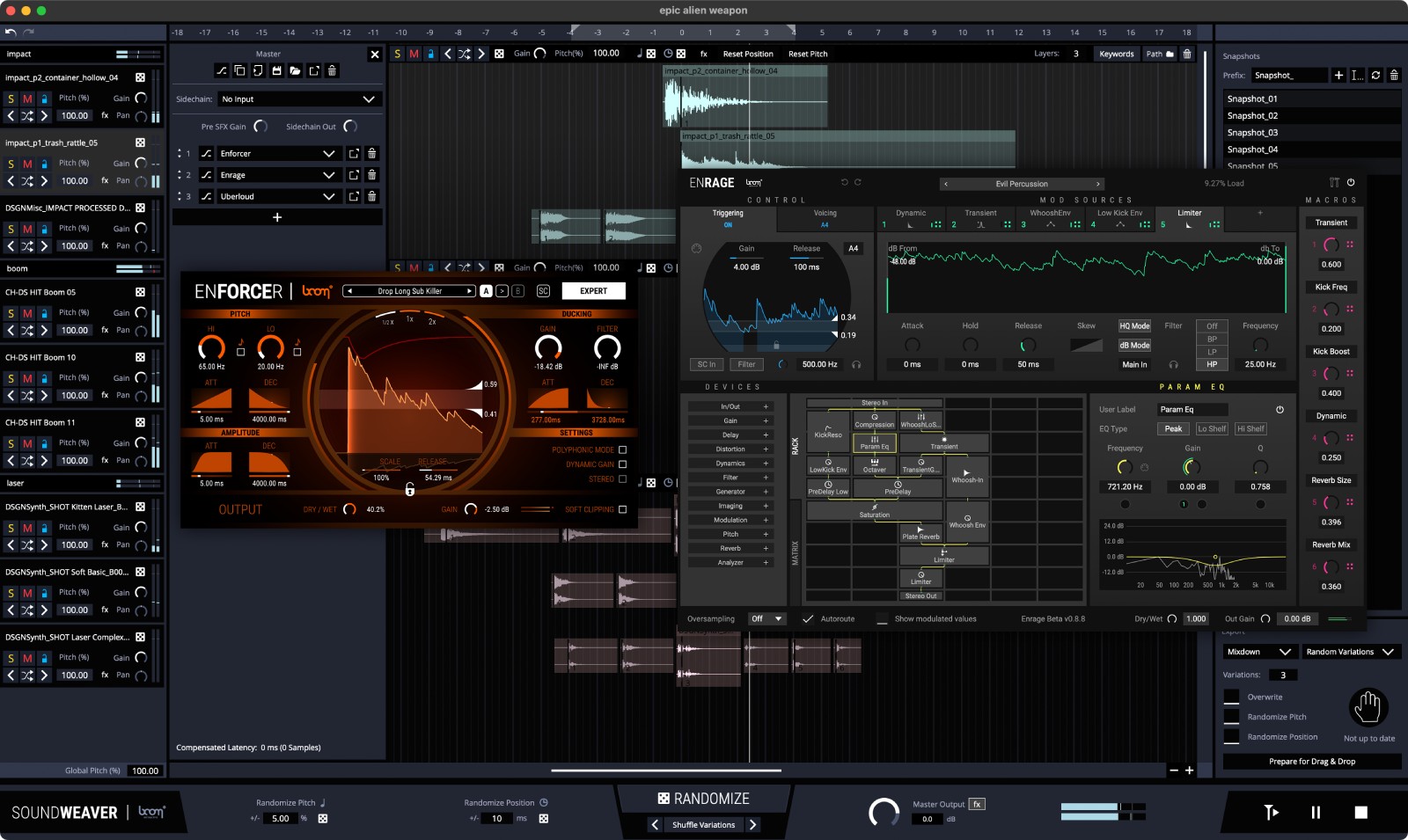
SOUNDWEAVER is designed for sound designers, sound editors, and composers who need to produce a large number of assets with consistent quality. It automates repetitive tasks such as searching, cutting, aligning, and layering to generate impactful effects: hits, massive rumbles, creatures, futuristic textures, or organic ambiances. Use it in tandem with your DAW to kick off a session, create variations, or find that unexpected "touch" that makes a difference in post-production.
Enter keywords or folders: SOUNDWEAVER scans your library, selects relevant files, then organizes them into groups and layers. Each essential parameter-pitch, offset, gain, shuffle, and replacement-can be randomized at the track, group, or project level to multiply creative options.
Create complete sessions and save "snapshots" to compare tracks, mixes, or settings. Ideal for quick iteration, locking in the best ideas, and revisiting them anytime.
Drag and drop sounds from your DAW or video editor into SOUNDWEAVER, weave your layers, then click "Prepare for Drag & Drop" to reinject the result directly into your project. Export stems by layers, groups, or as a final mixdown according to your workflow.
Go further by inserting your VST or AU effect plug-ins on tracks, groups, or the master. Shape your layers with your favorite tools without leaving the standalone application.