30-day satisfaction guarantee or your money back
Call us : +33 257 880 074
 en
en 









Complete software

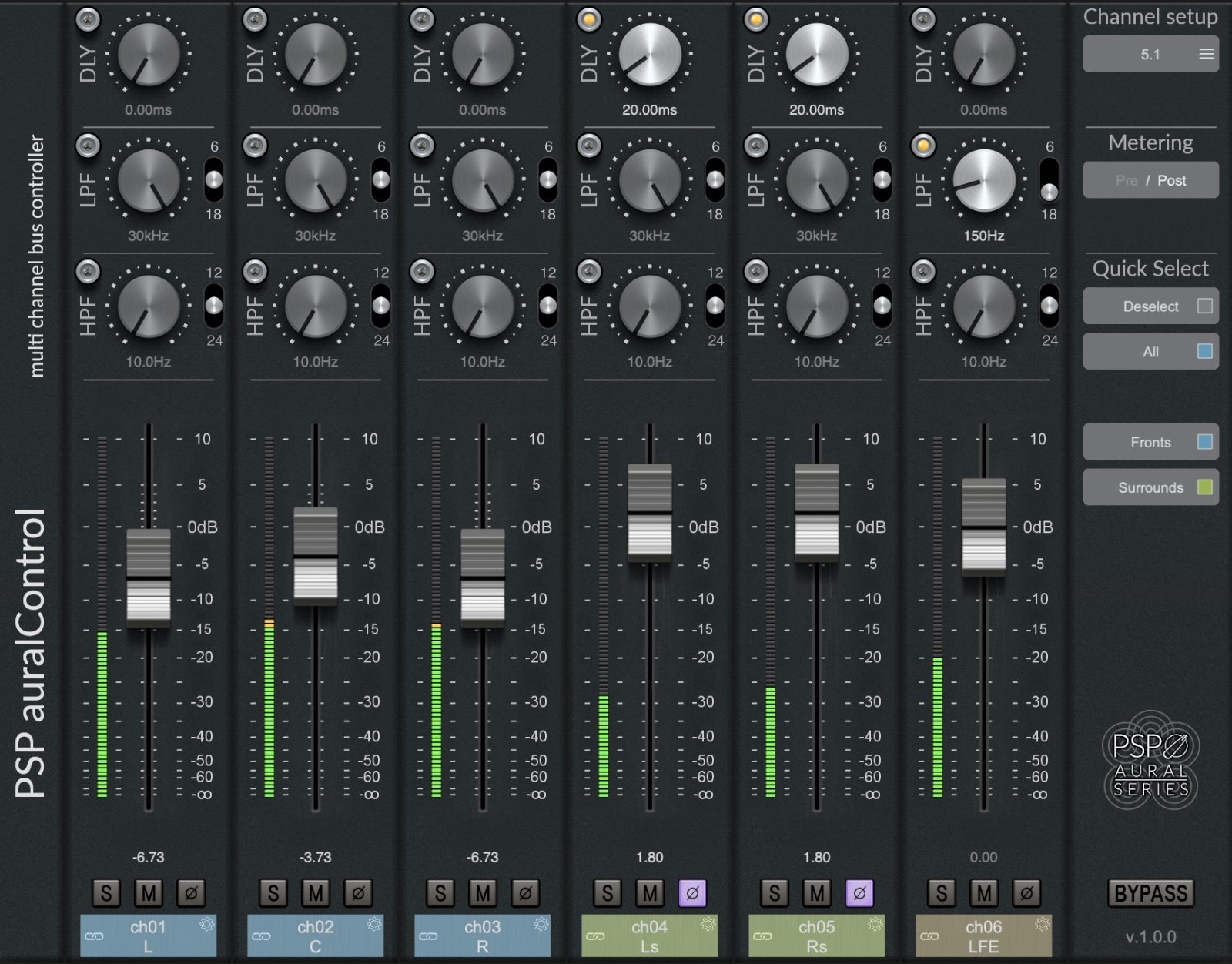
PSP auralControl is a plug-in designed for sessions where multichannel must remain controlled, consistent, and calibrated: tracking, mixing, and mastering in surround. It allows you to take control of each channel in a multichannel bus or stem, whether to correct an unbalanced live recording, secure monitoring of a multichannel reverb send, or optimize frequency distribution between channels (for example, avoiding unnecessarily limiting the LFE or, conversely, finely filtering Tops to retain only the air).
In cinema, video game, broadcast, or immersive music contexts, auralControl becomes a tool for gain staging and time alignment: you adjust levels, check interactions between channels, and align timings to maintain a stable image and reliable localization across different listening systems.
auralControl enables quick rebalancing of a surround stem by acting channel by channel without losing the overall context of the set. For example, you can raise the Rear channels on an effects send, reduce an overly present LFE, or compensate for an imbalance between Side and Front without creating a complex chain of separate processors. Dedicated faders and peak meters per channel make decisions immediate and reliable.
Selective listening on multichannel buses is essential. With Mute and Solo functions on each channel, you can isolate a group (for example, the Sides of a multichannel reverb) and quickly verify what truly contributes to space, width, and depth. This is particularly useful for diagnosing artifacts, an overly intrusive reverb in the rear, or an overloaded ceiling channel.
PSP auralControl provides direct access to High-Pass and Low-Pass filters for each channel. In practice, this allows very common immersive mixing operations: filtering the LFE with an LPF to keep it within a useful range, lightening the Rear channels in the low end to reduce muddiness, or retaining only the high spectrum on the Tops to achieve a sense of air and height without overload.
Control of delay per channel opens the door to very effective depth adjustments. You can adjust the timing of the center relative to Left/Right or create different depths depending on zones (Front, Rear, Side, Tops). Complementing a multichannel reverb, auralControl helps build a clearer spatialization, including for creative approaches (e.g., distinct pre-delays per group).
All parameters can be controlled individually, via predefined groups or custom groups. This facilitates global editing while retaining the possibility of fine adjustments. For modern mixing, group management combines perfectly with automation: you can record linked level movements, including in relative mode or with inverted linking (e.g., raising the front while lowering the rear), useful for clean and controlled immersive transitions.
auralControl supports formats ranging from two channels (Left-Right) and stereo Mid-Side up to immersive 7.1.2 configurations. Standard formats are available for quick start, while allowing work in customized configurations according to session constraints.