30-day satisfaction guarantee or your money back
Call us : +33 257 880 074
 en
en 









Complete software

Waves COSMOS Sample Finder is a sample management and search tool designed to speed up music production. It is aimed at beatmakers, film composers, electro/hip-hop/pop producers, and sound designers juggling folders full of one-shots, loops, and textures. Instead of browsing directories or auditioning blindly, you quickly find the right sound based on its color, role in the mix, key, and tempo.
Whether you're looking for a "crunchy" snare, a "saturated" kick, a drum loop at a specific BPM, or a synth sample in a given key, COSMOS centralizes access to your library and helps you stay in the creative flow without breaking inspiration.
COSMOS uses a neural network-based engine to analyze samples on your hard drive. It then classifies them into a database and generates musically useful tags: instrument, sound character, style, key, BPM, and production-relevant attributes (e.g., loop or one-shot, dry or wet, and other characteristics). The result: your sounds finally become "searchable" by what they are, not by the file name.
You can start with a broad search (e.g., "keys") and then progressively refine it: keyboard type, character tags, key, BPM. COSMOS also accepts term-based searches (e.g., "bright," "reverby," "cinematic") to find sounds matching the musical intent. This approach is ideal for saving time during sound selection, drum layering, or quickly finding an element that fits the song's harmony.
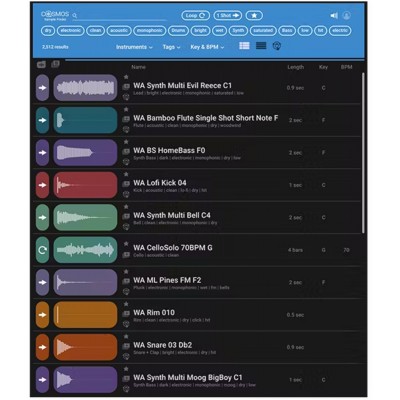
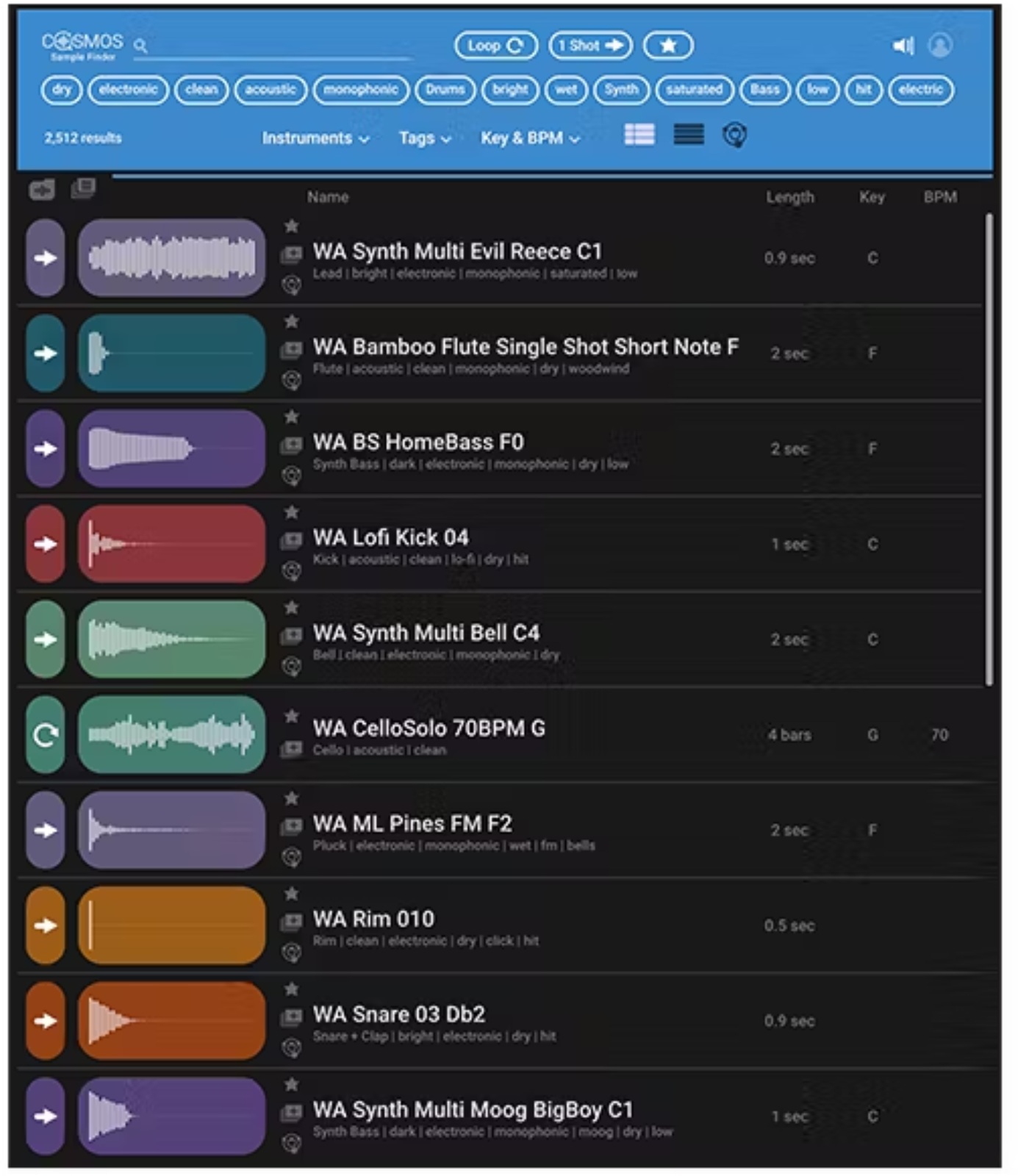
Depending on your workflow, choose the Waveform view to quickly visualize the waveform with a short description, or the List view to display more information about each sample. The COSMOS view adds an exploratory approach: "clusters" group related one-shots (kick, snare, plucked notes, etc.) to discover close alternatives, revisit forgotten sounds, and find the right variation faster.
COSMOS facilitates selection by auditioning sounds with one click, then lets you organize your library via a favorites list or dedicated collections (by project, style, pack, or usage). This is a real plus for standardizing a production workflow, preparing composition sessions, or consolidating a shared library.
COSMOS works with any sampler but integrates especially well with Waves CR8 Creative Sampler. The app can be launched directly from CR8: once the sample is found, double-clicking instantly loads it into a CR8 slot, making the transition from "search to creation" very smooth.