30-day satisfaction guarantee or your money back
Call us : +33 257 880 074
 en
en 









Complete software

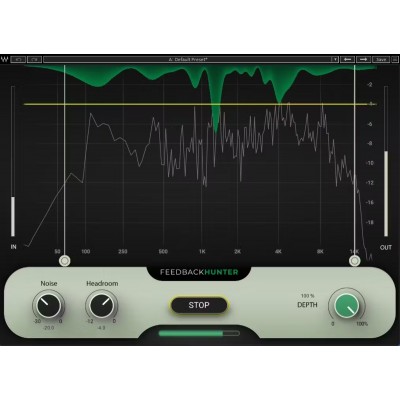
Waves Feedback Hunter is a plugin designed for FOH engineers and live technicians who want to achieve more gain before feedback on wedges, sidefills, or a PA system, while maintaining clear and controlled monitoring. Where traditional feedback hunting requires time, a trained ear, and a rigorous method, Feedback Hunter automates the analysis and helps you stabilize your system faster so you can focus on the mix, balances, and musicians' comfort.
It is mainly used during the setup phase (installation, line-check, soundchecks) when you are ready to optimize the microphone-to-speaker relationship. Unlike an approach designed to act continuously during the show via isolated notches, Feedback Hunter works on the entire spectrum to produce a coherent correction for your configuration, with a logic oriented toward "preparation" rather than "live troubleshooting."
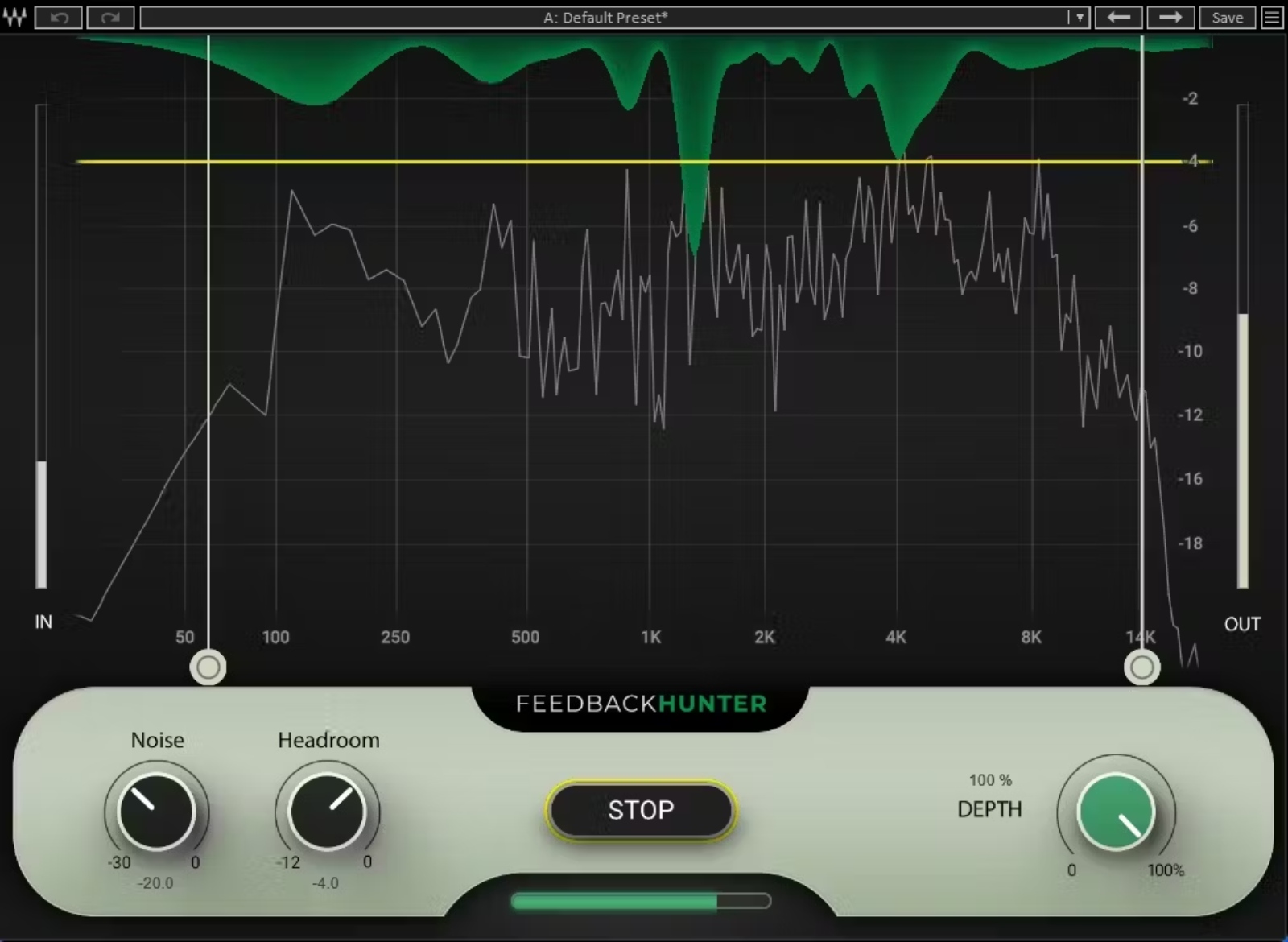
The core of Feedback Hunter is based on analyzing the response of the microphone/monitor (or PA) pair using white noise. The plugin evaluates how the system reacts in the room (acoustics, placements, spill, proximity to surfaces, stage volume), then calculates an equalization curve that improves stability and reduces the risk of feedback onset. The result: a cleaner, more robust sound with fewer critical areas that "ring."
In live conditions, every minute counts. Feedback Hunter transforms a often long and repetitive step into a short and structured procedure: analysis and processing can be completed in
Because no two stages are alike, Feedback Hunter lets you control the impact of the processing. The "Frequency Brackets" allow you to limit the frequency zones concerned, useful if you want to protect a useful range (vocal presence, brightness of a condenser mic, attack of an instrument) or, conversely, focus the action where feedback occurs most often. The "Depth" control adjusts the intensity of the processing, allowing you to go from subtle optimization to a more marked correction depending on the desired level.
Noisy venues, small stages, tight setups, or monitors very close to microphones require a more cautious strategy. Feedback Hunter includes settings to prepare the analysis according to real-world conditions: the "Noise" control helps account for a busy environment, and the "Headroom" setting allows you to adjust the targeted margin to gain more safety before feedback when you know the show will build in intensity. This approach makes the plugin relevant for both simple setups and acoustically challenging spaces.