30-day satisfaction guarantee or your money back
Call us : +33 257 880 074
 en
en 









Complete software

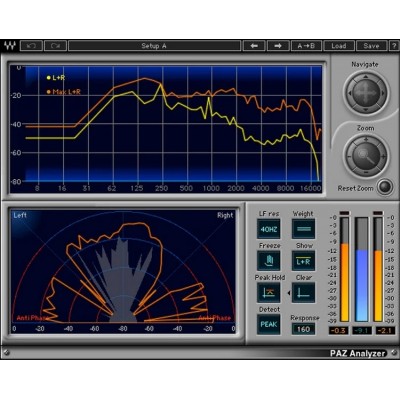
Waves PAZ Analyzer is an audio analysis plugin designed to "see" precisely what you hear, to improve your production decisions. It is suitable for both mixing and mastering: frequency balance control, stereo distribution reading, phase verification, and level monitoring for clean gain staging. Whether you are working on a vocal, a drum bus, a full mix, or a post-production session, PAZ helps you validate the balance, coherence, and dynamics of your signals before moving on to further processing.
In practice, PAZ is ideal for comparing two tracks (reference vs. your mix), confirming that an EQ treatment has effectively corrected a problematic area, or monitoring stereo width and potential mono phase cancellation issues. It is a trusted tool to save time, reduce guesswork, and ensure translation across different listening systems.
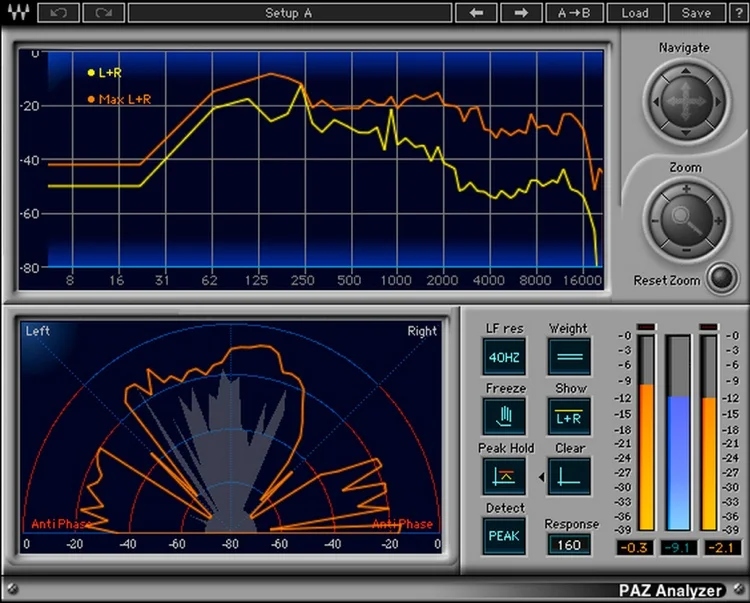
PAZ offers spectral analysis selectable between Peak or RMS, with an adjustable response time to tailor the reading to your context. In Peak mode, you track transients and peaks (useful on percussion, attacks, saturation). In RMS mode, you observe more of the average energy, highly relevant for judging overall balance and perceived density, especially on sustained instruments or the master.
The Stereo Position Display shows the distribution of loudness within the stereo field, a valuable tool to understand where the energy is located (center, sides) and how it evolves with your processing. This reading helps maintain controlled stereo, avoid an overly busy center, or conversely, a too diffuse image that can harm impact and clarity.
PAZ indicates potential out-of-phase audio issues. This is especially useful with multi-mic recordings, heavily widened synths, widening effects, or certain modulation treatments. By identifying these anomalies, you can correct them before they result in bass loss, hollow sound, or instability during mono playback.
The plugin combines Peak and RMS meters for clear dynamic monitoring. The meters can hold peak values (peak hold) with an independent reset, convenient for checking specific passages without interrupting playback. In the full version, meters feature resettable clip indicators to immediately spot clipping even if you weren't looking at the screen at the exact moment.
A useful ergonomic detail: the RMS meter is positioned between the left and right Peak meters, facilitating quick comparison and reading, especially during compression, limiting, or channel balance adjustments.
To adapt measurement to different contexts, PAZ offers several weighting curves: unweighted, dBA, dBB, and dBC. This allows you to modulate level readings according to how the ear perceives energy across frequencies, useful for comparing different programs or refining balance decisions.
PAZ Analyzer is designed to fit your workflow: load the full analyzer to display all graphical information simultaneously, or use separate components as needed. You can also save results as a text file, handy for session documentation, archiving measurements, or sharing a technical diagnosis.