30-day satisfaction guarantee or your money back
Call us : +33 257 880 074
 en
en 









Update
Requires a full license to operate.

This version is an upgrade (UPG). It requires that you already own a FabFilter Pro-Q 3 license to activate FabFilter Pro-Q 4 Upgrade. Make sure you have access to your account/license information to complete the activation.
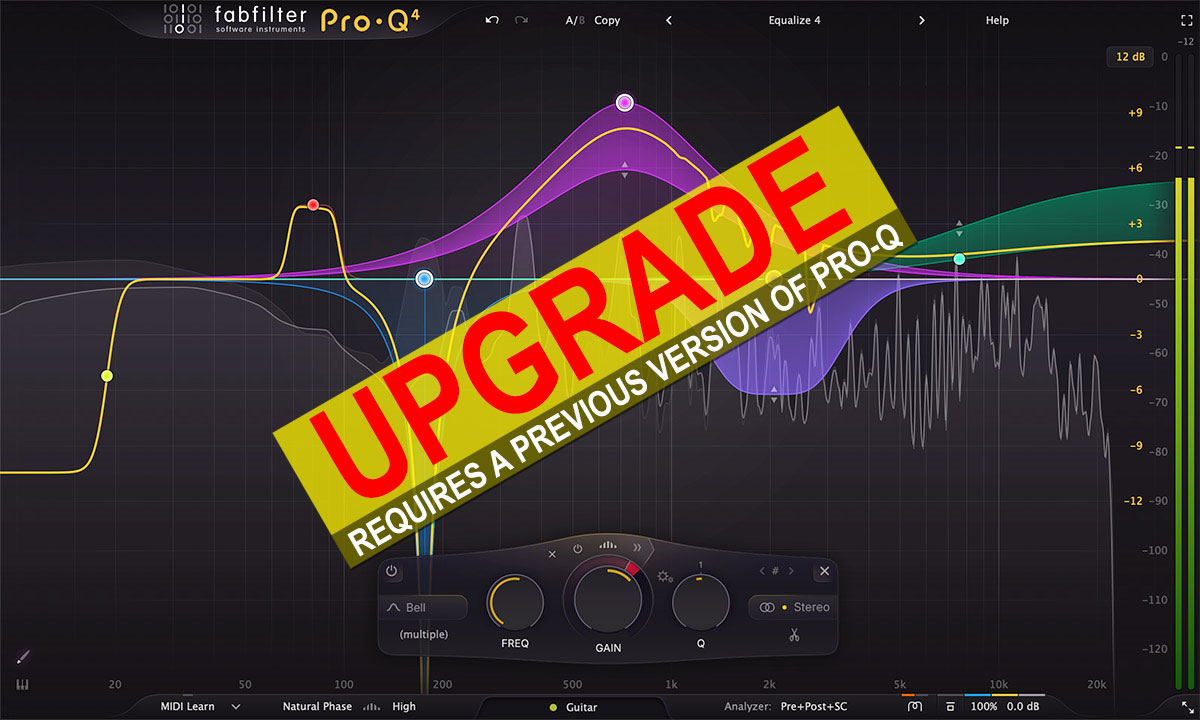
FabFilter Pro-Q 4 is an equalizer plug-in designed for correction, tonal shaping, and sound design in all production contexts: recording, mixing, post-production, and mastering. It excels equally at removing resonance from a vocal, cleaning up a congested low-mid on a guitar, or providing precise finishing touches on a drum bus or the final mix.
This upgrade to Pro-Q 4 focuses on two main areas: a more direct workflow (visualization, editing, multi-instance management) and a finer treatment of problematic areas to achieve a more transparent, controlled result that is faster to implement in a busy session.
With EQ Sketch, equalization becomes more intuitive: instead of creating each band one by one, you can draw the overall shape you want to achieve. This is particularly effective for quickly sketching a correction curve, a cleaning slope, or a creative intention (for example, a gentle dip in the low-mids and a more open presence).
Pro-Q 4 introduces an instance list that allows you to control multiple plugin instances within the same project. Practically, this facilitates switching between tracks, harmonizing settings, and copying relevant adjustments from one source to another without wasting time searching for the right window.
Spectral dynamics helps treat problematic frequencies more precisely and efficiently. Instead of applying static reduction, you can control behavior based on content to tame a resonance that only appears on certain notes, contain variable harshness, or stabilize a low-end that swells occasionally. The result is more natural because the equalization adapts to the signal instead of freezing it.
The Dynamic EQ section evolves with Attack and Release settings to better shape the time response. An optional free side-chain filtering also allows triggering dynamic behavior from a chosen frequency range, useful for controlling excess energy without unwanted "pumping." The dynamic processing algorithm is further improved to offer less distortion and a clearer sound.
Character modes are used to configure your mixes with a more analog and vintage feel. Depending on the desired aesthetic, you can maintain a very transparent approach or introduce a subtle color to add density, grain, and a more musical perception while keeping the precision of a modern EQ.
Pro-Q 4 now allows the use of fractional slopes when needed, for example, a high-pass or low-pass filter at 3.5 dB/oct. This type of setting is valuable when you want a gentler cleanup than a standard slope or, conversely, to finely adjust the balance without shifting the musicality of the source. A new versatile filter shape also expands the working possibilities.
The precision of linear phase processing is improved for situations where phase coherence is essential (parallel processing, mastering, delicate bus corrections). Analog matching is also enhanced in zero latency and natural phase modes to maintain sonic coherence between channels when it matters most.
You can copy/paste EQ bands or presets, including between different instances via the instance list. Editing is also faster thanks to the ability to modify parameters directly in the value display (drag or mouse wheel), reducing micro-breaks in concentration during mixing. Finally, the interface benefits from an overall redesigned layout and many comfort improvements.