30-day satisfaction guarantee or your money back
Call us : +33 257 880 074
 en
en 









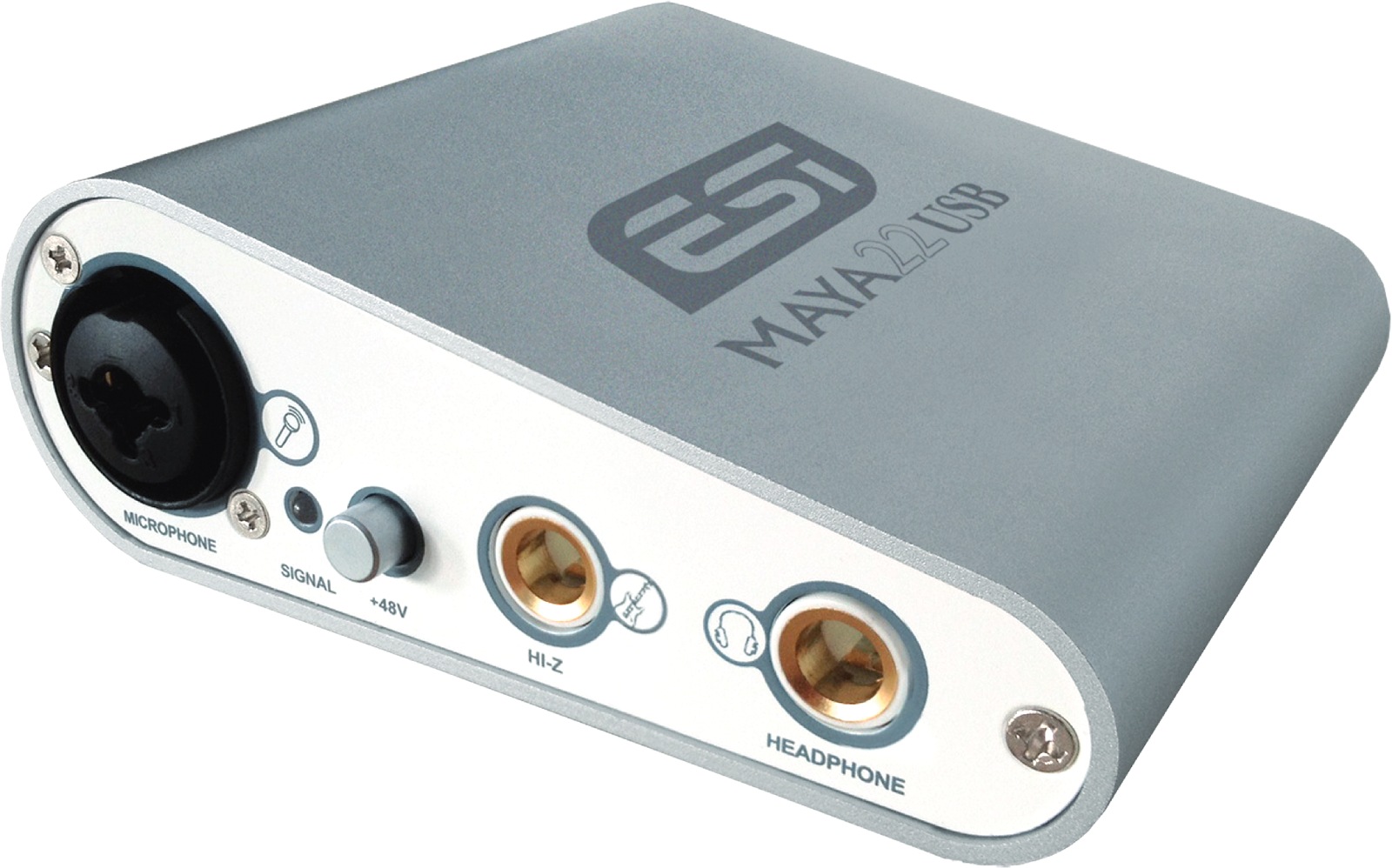


The ESI MAYA22 USB embodies the spirit of "ready-to-record" interfaces: a simple, robust, and efficient unit that gathers essential connections to produce on a computer without multiplying adapters. Its approach is clear: to offer a truly usable 2 input / 2 output interface with connectivity suited to common uses (microphone, guitar, headphones, studio monitors), while remaining USB bus-powered to simplify setup.
This USB audio interface is aimed at musicians, beatmakers, podcasters, and content creators who want to record and listen with better quality than an integrated sound card, without bulk. It is particularly suited for "voice + instrument" setups: you can record a microphone (vocals, amp mic, acoustic instruments via mic) while plugging a guitar directly into the Hi-Z input, then work in your DAW on PC or Mac.
In practice, the MAYA22 USB is equally comfortable for recording and listening: you can monitor your mix via headphones or power a pair of studio monitors through the line outputs. It's a solid foundation for a minimalist home studio, a mobile setup with a laptop, or a dedicated audio editing station (editing, cleaning, mixing voice-overs).
Thanks to its microphone preamp on the XLR input and Hi-Z instrument input, the MAYA22 USB facilitates real-world recording scenarios: vocals + guitar, interviews with an XLR mic, or recording a guitar line to process later with virtual amps. This setup is particularly useful for quickly building demos, capturing inspiration, or producing clean takes before more advanced mixing.
For monitoring, the interface offers a dedicated headphone output, convenient for recording without bleed or working on the go. The balanced TRS 1/4" line outputs also allow connection to studio monitors while maintaining cleaner cabling, better suited to cable lengths and environments crowded with power supplies and peripherals.
The MAYA22 USB comes with professional audio-oriented drivers for Windows (ASIO 2.0, WDM, etc.), which reduce latency and improve responsiveness during recording and playback. On Mac, it relies on CoreAudio for seamless integration into the system's audio environment. Whether producing in a DAW, recording voice-overs, or playing virtual instruments, the goal remains the same: stable audio flow, reliable synchronization, and comfortable listening throughout the session.