30-day satisfaction guarantee or your money back
Call us : +33 257 880 074
 en
en 









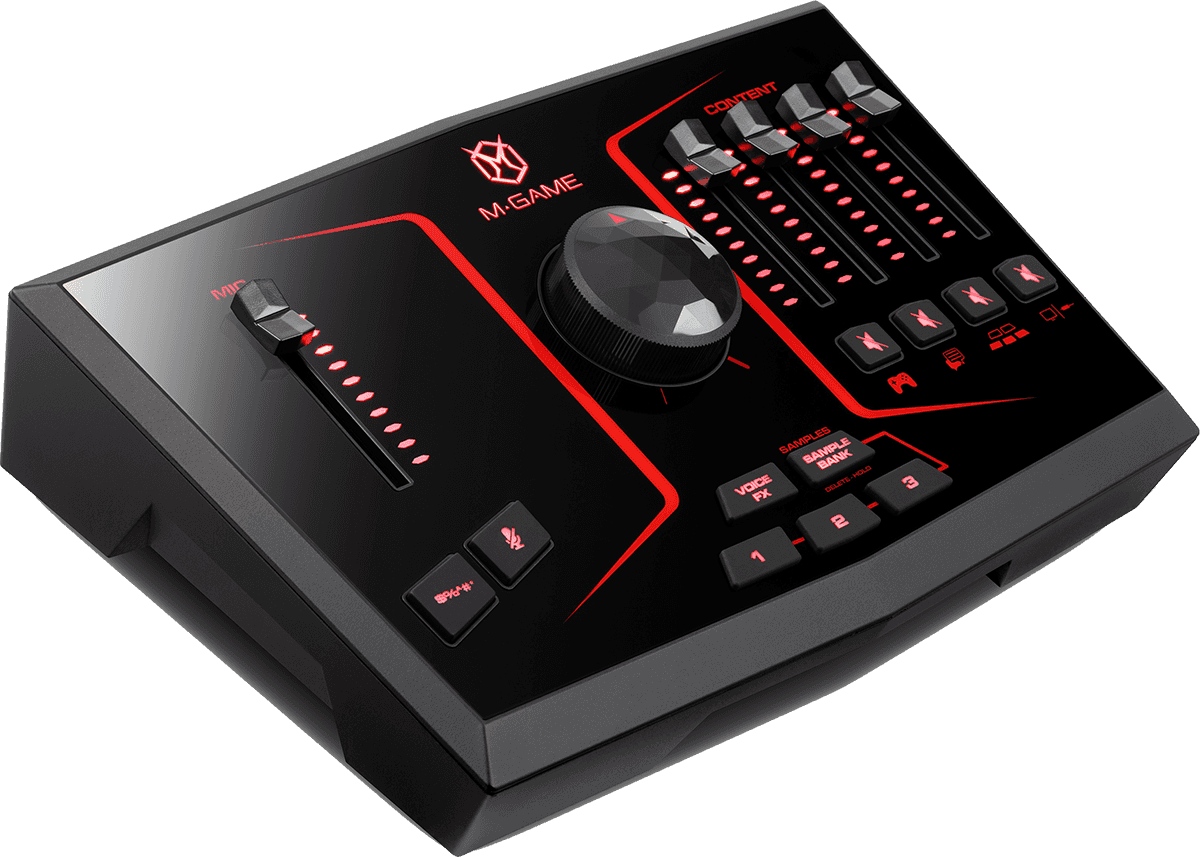


Developed by M-Game with support from audio engineering teams from the M-Audio universe, the M-Game Solo follows a very "control surface" approach: everything that needs to be accessible during a live stream is placed at your fingertips. Within the range, it positions itself as a compact and immediately operational solution to manage a 4-channel streaming mix, with a bold visual identity thanks to the red backlighting whose intensity can be adjusted via the M-Game software.
The M-Game Solo is aimed at gamers, streamers, and content creators who want precise control over their audio: main microphone, game sound, voice chat, music, or auxiliary input. It is also very suitable for "talk" formats (discussion, reaction, remote interview) where voice clarity and quick intervention (mute, censor, effects) make all the difference.
Its approach is simple: you play, you talk, you trigger your elements (samples, beeps, effects), and you adjust your levels in real time without getting lost in menus. Whether you are on PC or console, the integration is designed to fit neatly into a modern streaming setup.
With its 4 faders and dedicated mute buttons, the M-Game Solo allows quick balancing of each source, even under stress (in-game action, scene switching, guest arrival). The Censor button provides immediate security: ideal for cutting or masking a word, unwanted noise, or simply keeping a live stream clean under all circumstances.
The microphone section is designed to help you achieve an intelligible, rich, and stable voice. Between the EQ, compressor, noise gate, de-esser, and high-pass filter, you can clean unnecessary lows, tame sibilance, limit dynamic range fluctuations, and reduce background noise. An adjustable boost for low-level microphones is also provided, handy if you use a dynamic microphone and need more gain headroom.
Content creation also involves sound design: the M-Game Solo integrates buttons dedicated to vocal effects and 3 programmable buttons to launch your samples (jingles, transitions, memes, announcements). With the included M-Game application, you can assign your samples, choose your processing, and adjust the audio routing of each channel to fit your workflow (streaming, capture, monitoring).
On the connectivity side, everything is planned for current uses: a Main output to connect speakers, a headphone output for monitoring, an Aux input for an external source (smartphone, player, second PC), and a microphone input in both XLR and 3.5 mm mini jack formats. For console gamers, the PCM optical input via Toslink allows easy capture of digital sound from a console or TV while avoiding typical interference issues linked to some analog connections.