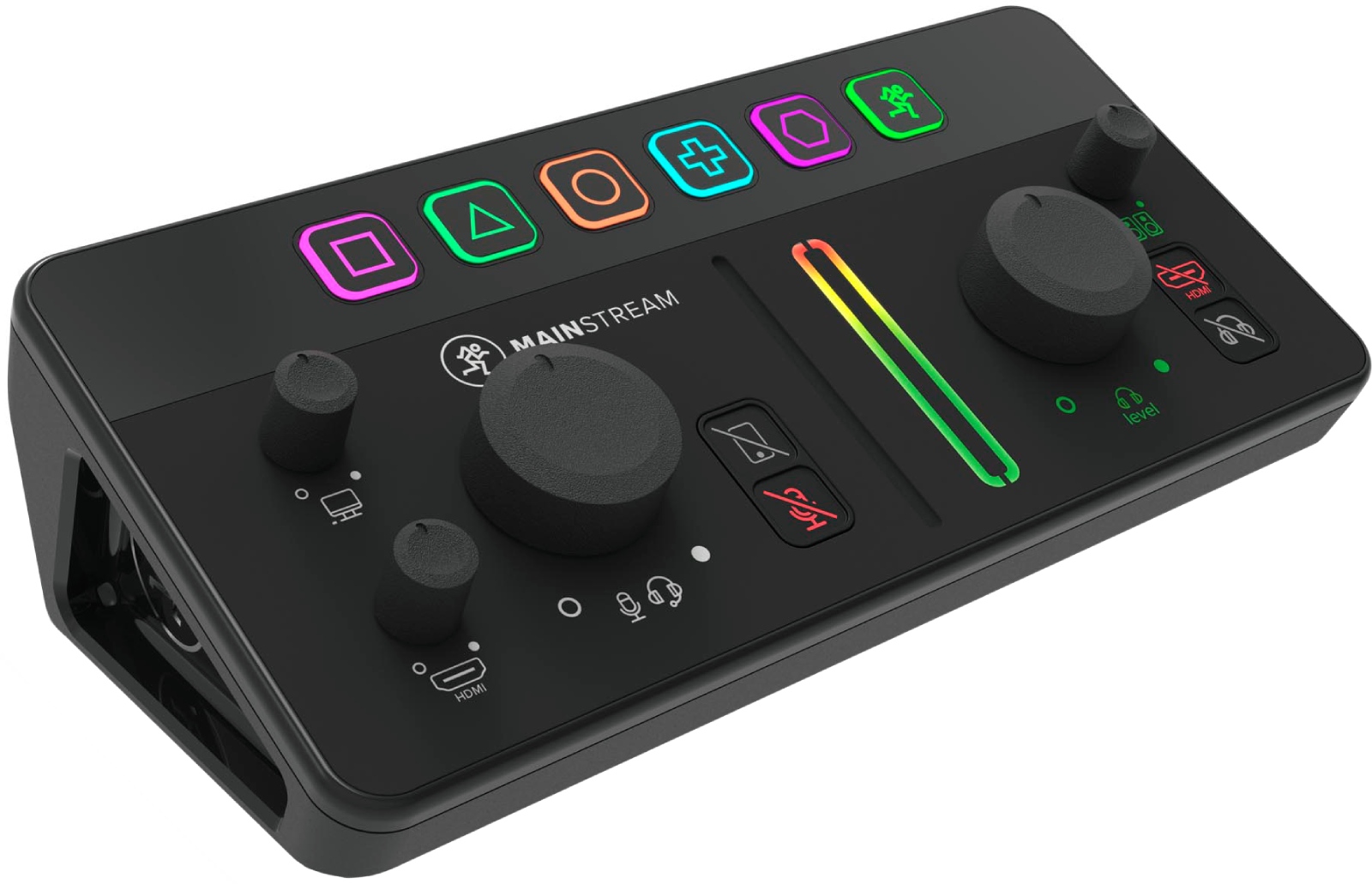
Known for its audio solutions focused on production and broadcasting, Mackie here adopts a very "content creator" approach: reducing the number of boxes, limiting scattered connections, and gathering the essentials in one place. The MainStream fits this logic by combining, in a compact format, an HDMI capture card, an HDMI pass-through for local display, and a USB-C hub intended to consolidate common peripherals in a live setup. The goal is clear: save time during setup, make cabling more reliable, and achieve a coherent workflow whether you stream gameplay, talk shows, tutorials, or music sessions.
The Mackie MainStream targets streamers and creators who want a simple-to-use and efficiency-oriented solution without multiplying interfaces and adapters. It is particularly suited for setups where HDMI video is central: console, gaming PC, photo/video box, or any HDMI source you want to capture cleanly for your streaming software. The HDMI pass-through lets you keep a direct display on a monitor, handy for gaming or real-time image control while the capture feeds the computer.
The integrated USB-C hub addresses everyday practical needs: connecting an additional camera, a USB microphone, a USB drive, or other accessories without saturating the machine's ports. In a streaming environment, this centralization reduces accidental disconnections, simplifies cable routing, and helps maintain a stable setup session after session.
The MainStream includes an HDMI capture card designed to deliver a smooth signal up to 1080p at 60 fps. This format is a widely used streaming standard because it combines image sharpness, good motion readability, and easy compatibility with most platforms and encoding settings. For gameplay, product demos, or face-cam videos, it strikes an effective balance between visual quality and stability.
In addition to capture, the MainStream offers a dedicated HDMI output for pass-through to your monitor. You thus maintain a local display up to 4K at 60 fps, which is ideal if your main screen is high definition or if you prioritize a smooth gaming experience. This separation between capture (for streaming) and display (for you) simplifies setup management: you keep your visual comfort while the stream feed remains controlled.
The MainStream integrates two USB-C inputs to accommodate various USB peripherals: additional cameras, USB microphones, USB drives, and other accessories needed for live production. This approach consolidates your setup around a central point, reduces reliance on external hubs, and frees up ports on the streaming computer. The result: a cleaner workspace, faster setup, and often easier troubleshooting when adding equipment.