close
filter_list

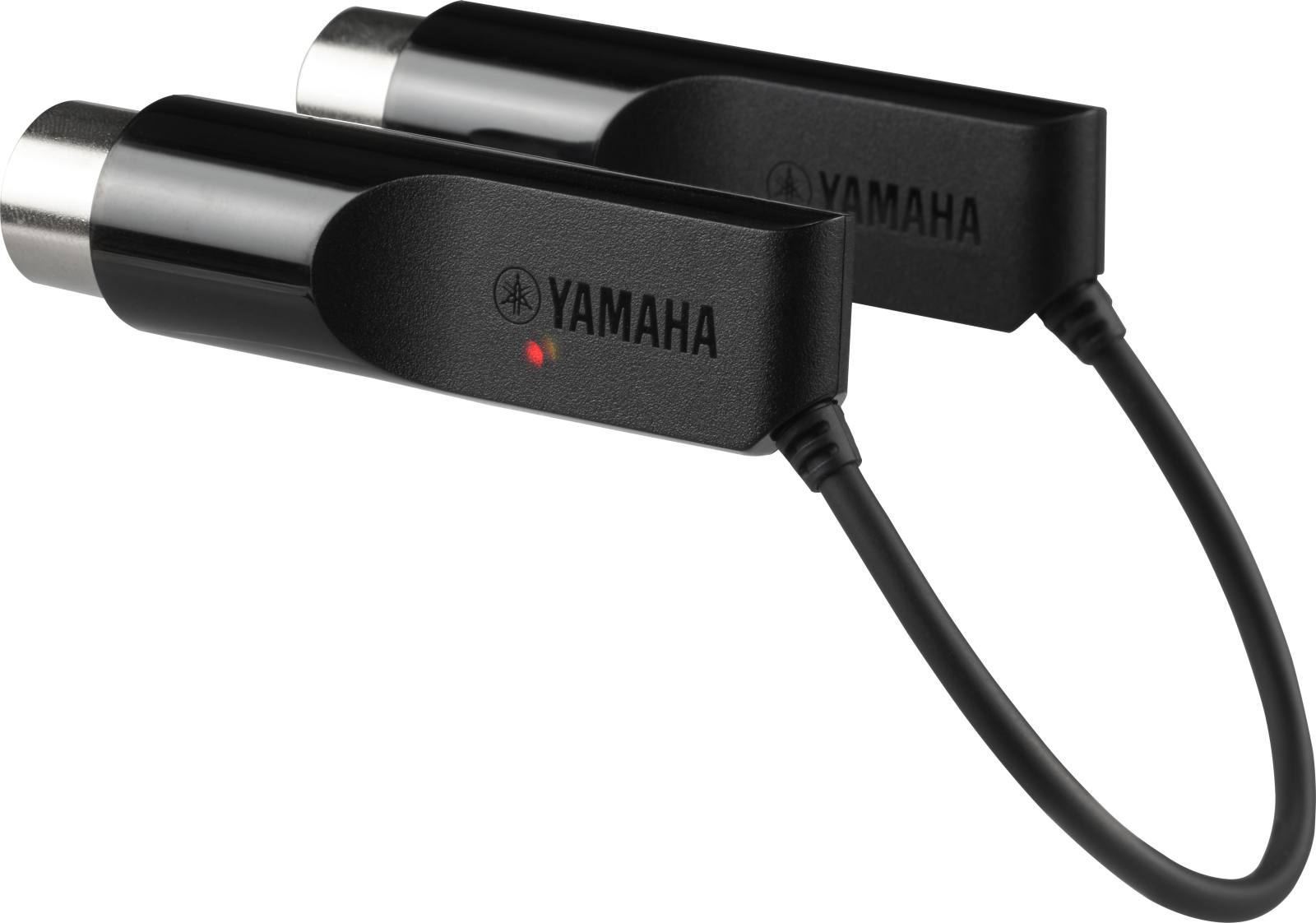
Yamaha MDB-T01

Register here and stay informed about the next restock

Description

Essential Information About the Yamaha MD-BT01 Bluetooth MIDI Adapter

  • Wireless MIDI via Bluetooth Low Energy: connect an instrument equipped with MIDI IN/OUT ports to an iPhone, iPad, iPod touch, or Mac without any cable between the instrument and the device.
  • Quick Setup: plug directly into the MIDI IN/OUT ports, then enable Bluetooth MIDI in your music app.
  • Ideal for Studio and Stage: more freedom of placement (music stand, stand, control room), less clutter, and a cleaner setup.
  • iOS Device Free from Charging Constraints: since nothing is connected to the iPhone/iPad port, you can charge it while using it.

An Adapter Designed to Modernize a Fleet of MIDI DIN Instruments

The Yamaha MD-BT01 is aimed at anyone who already owns keyboards, digital pianos, electronic drum kits, or sound modules equipped with DIN-format MIDI connectors (MIDI IN/OUT) and wants to enjoy the convenience of iOS and Mac applications. Whereas a traditional setup requires a MIDI interface, cables, and repeated connections, this adapter offers a more direct approach: you keep your instrument as is while adding a wireless MIDI connection suited to modern uses (editing, control, performance).

Who It's For and What It's For: Composition, Control, and Performance Without Cables

In the home studio, the MD-BT01 is perfect for controlling sound generation apps, recording ideas, or controlling an instrument from a tablet within reach. In rehearsals and on stage, it simplifies parameter changes and the use of controller apps while reducing cable-related risks (disconnections, faulty contacts, longer setup). It is especially suitable for mobile musicians, teachers who want to quickly set up an instrument, and performers seeking a lightweight setup.

Bluetooth MIDI: Easy Connection and Freedom to Play

Connection in a Few Steps

The concept is intentionally minimalist: plug the MD-BT01 into the instrument's MIDI IN/OUT ports, open your music app on iOS or Mac, then enable the Bluetooth MIDI option in the app. You then gain access to wireless MIDI communication for playing, controlling, and automating without having to handle USB cabling or external interfaces between the device and the instrument.

A Solution Focused on Real-World Use

Bluetooth Low Energy (MIDI over Bluetooth Low Energy) is especially appreciated for setups where saving time and space is important. You enjoy a smoother playing environment: tablet on the music stand, smartphone in your pocket, computer in the control room, all while keeping the instrument at the center of the setup. Note: depending on network conditions and environment (interference, radio congestion, distance), data loss may occur, highlighting the importance of a clean radio environment for the most critical uses.

Music Applications: From Control to Creativity

With an iPhone/iPad/Mac, the adapter opens access to many scenarios: quick configuration of internal functions (metronome and settings according to the instrument), customization of drum kits via a touch interface, control of sound apps to expand the sonic palette, recording work sessions for playback and analysis, or adding visual effects in live contexts. The goal is clear: to transform a MIDI DIN instrument into a natural partner within an app ecosystem, without cable constraints between the instrument and the device.

Technical Specifications

Compatibility

  • Compatible Devices: iPhone, iPad, iPod touch, Mac with Bluetooth 4.0
  • Supported Systems: iOS 8 or later, OS X Yosemite or later

Bluetooth and Protocol

  • Bluetooth: Version 4.0, GATT compatible
  • MIDI Standard: MIDI over Bluetooth Low Energy - Compliant
  • Note: data loss may occur depending on network conditions and environment

Power Consumption

  • Power Consumption: 26 mW

Dimensions and Weight

  • Dimensions: 17 mm (W) x 17 mm (H) x 67 mm (D) (including connector)
  • Weight: 23 g

Setup (Reminder)

  • 1. Connect the MD-BT01 to the instrument's MIDI IN/OUT terminals.
  • 2. Open the app on the iOS device.
  • 3. Enable Bluetooth MIDI in the app.
Brand reference number: ZT35450

Testimony

5,0 /5
5★
4★
3★
2★
1★
Quality
Quality / price
Use
I bought it because my M audio midi uno interface stopped working since the Catalina update on Mac. So it doesn't work on its own, you have to go to Utilities in Finder and Audio and MIDI Setup, then MIDI Studio and then the Bluetooth symbol and detect, and then the software integrates it and it's all good. Sorry for my first post where I thought it didn't work and I thought it was plug and play. Thanks
Certified
Posted on 07/11/2019
By David R.

Good quality product, No need to use midi cables to connect synths to the iPad or MAC anymore. So you can reuse old keyboards with their controllers to mix in Logic or Cubasis .... Awesome!
Certified
Posted on 03/12/2016
By Pascal Z.

Perfectly meets expectations, fulfills its role. The range is quite good without obstacles.
Certified
Posted on 23/01/2017
By Vicken K.

Very good product that works without any problem on the MIDI jacks of an instrument.
Certified
Posted on 03/01/2017
By Caryl B.

Videos
Sales & Advice
thumb_up